Could a tester read this story and know what passing looks like?
That's the whole question. Honest Cheetah asks it of every requirement, tells you what it found, and offers a fix — as a draft you can take or leave.
Refinement is where requirements are supposed to get better. Most boards don't have one. Honest Cheetah installs Proposed → Not Ready → Ready in front of Todo — real GitHub statuses, on your real board — and then gives you the tools to move things through it. Why that matters →
The review
Open a requirement and click Review. You get a verdict — Needs work · 4 findings — a one-sentence summary, and five checks: Title, Acceptance criteria, Detail, Duplicate, Size. Under each finding is the consequence (what a tester or builder can't do because of it) and a concrete suggestion.
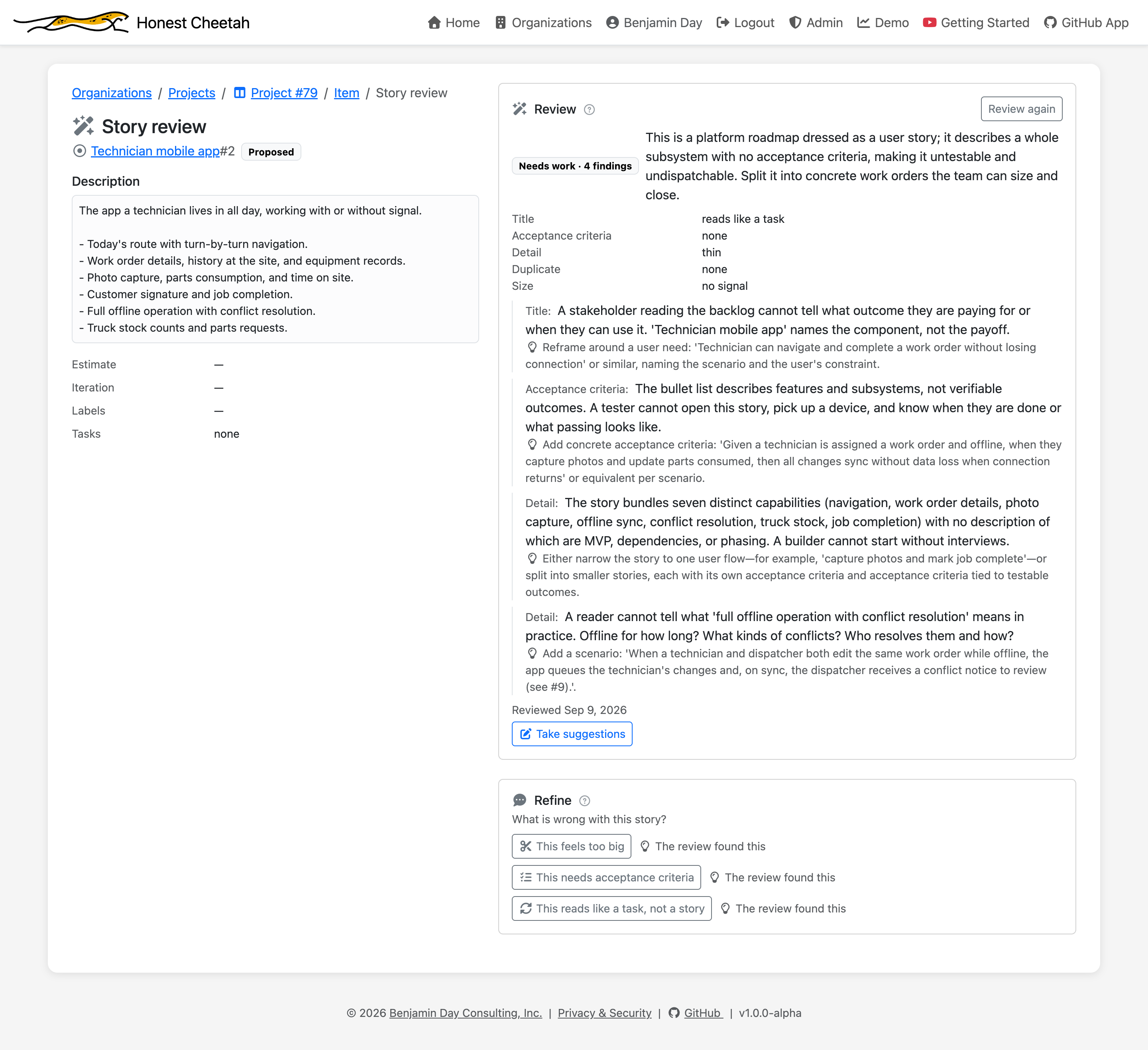
Findings are stated consequence-first because "no acceptance criteria" is a complaint, and "a tester cannot open this story, pick up a device, and know when they are done" is a reason to do something about it.
Three buttons for the three usual problems
Under the review is the Refine panel: What is wrong with this story? Three answers, verbatim from the buttons:
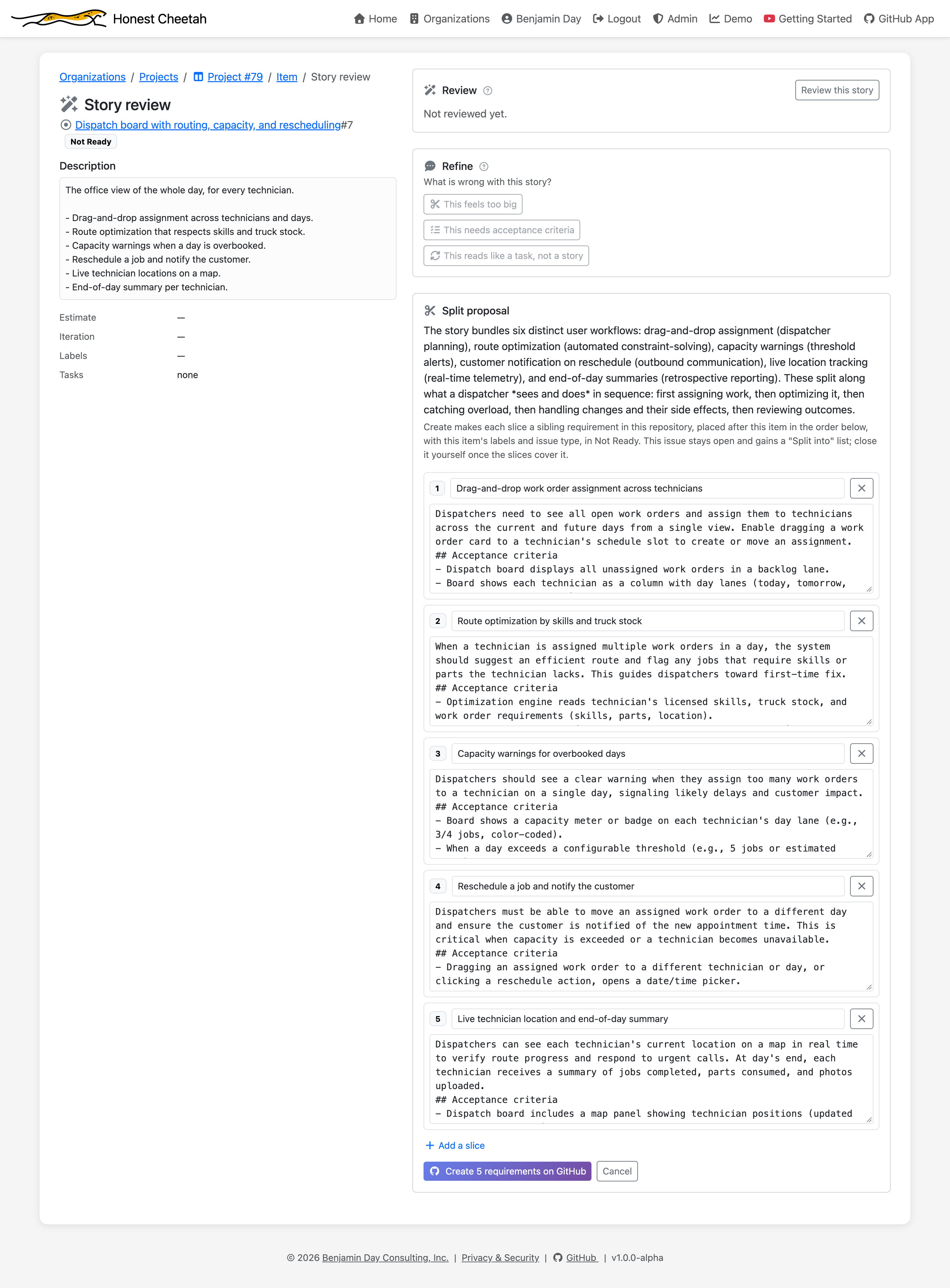
This feels too big
HC proposes the seams and the thinner stories, in order, each with its own acceptance criteria. You edit the slices, then create them on GitHub in one click — or don't.
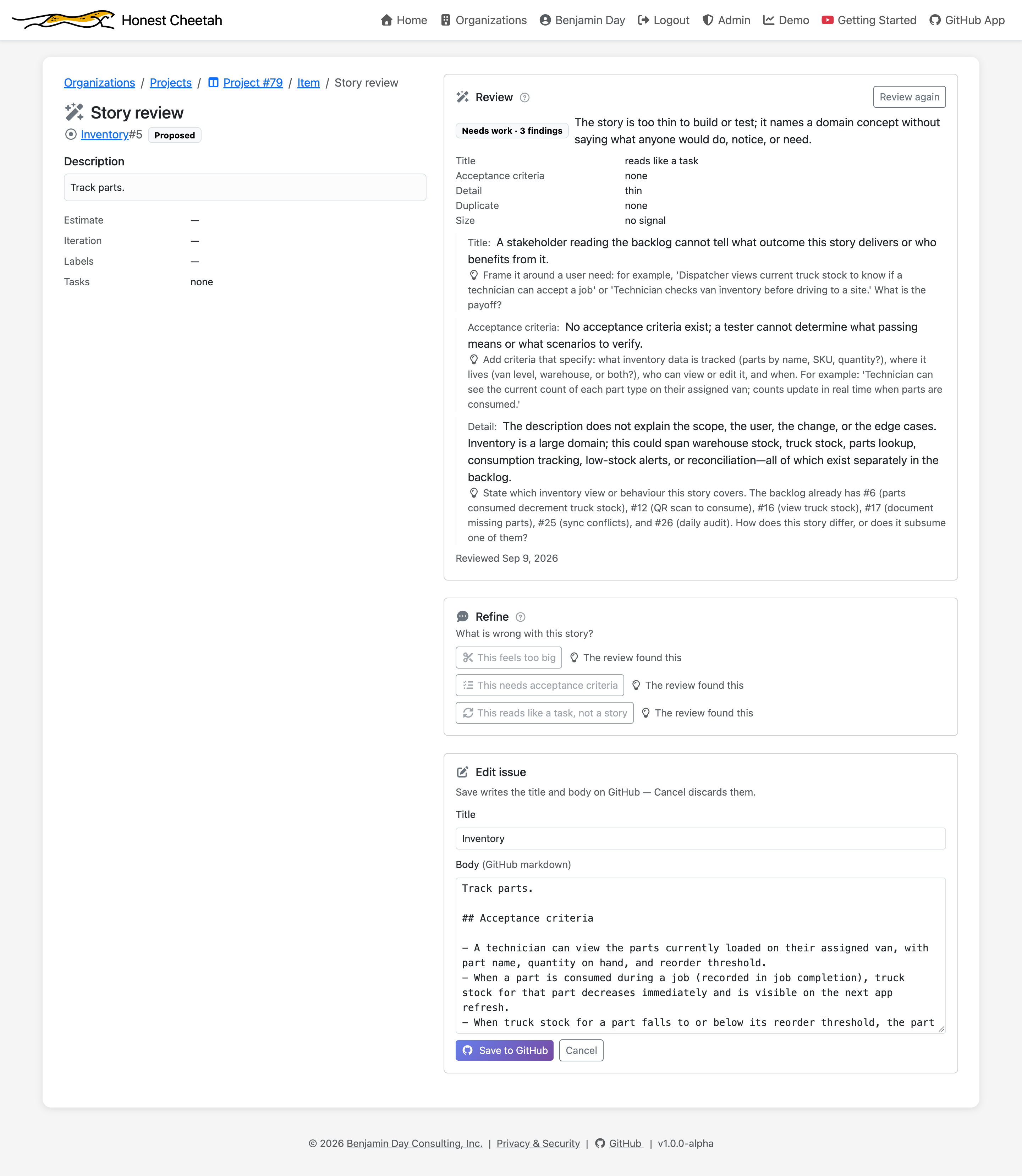
This needs acceptance criteria
The story opens in an editor with acceptance criteria drafted from what's already there. Save writes the issue to GitHub. Close writes nothing.
This reads like a task, not a story
"Add a SQLite sync queue table" names the work, not the payoff. HC reframes it around who needs what and why — and keeps the technical detail as a note.
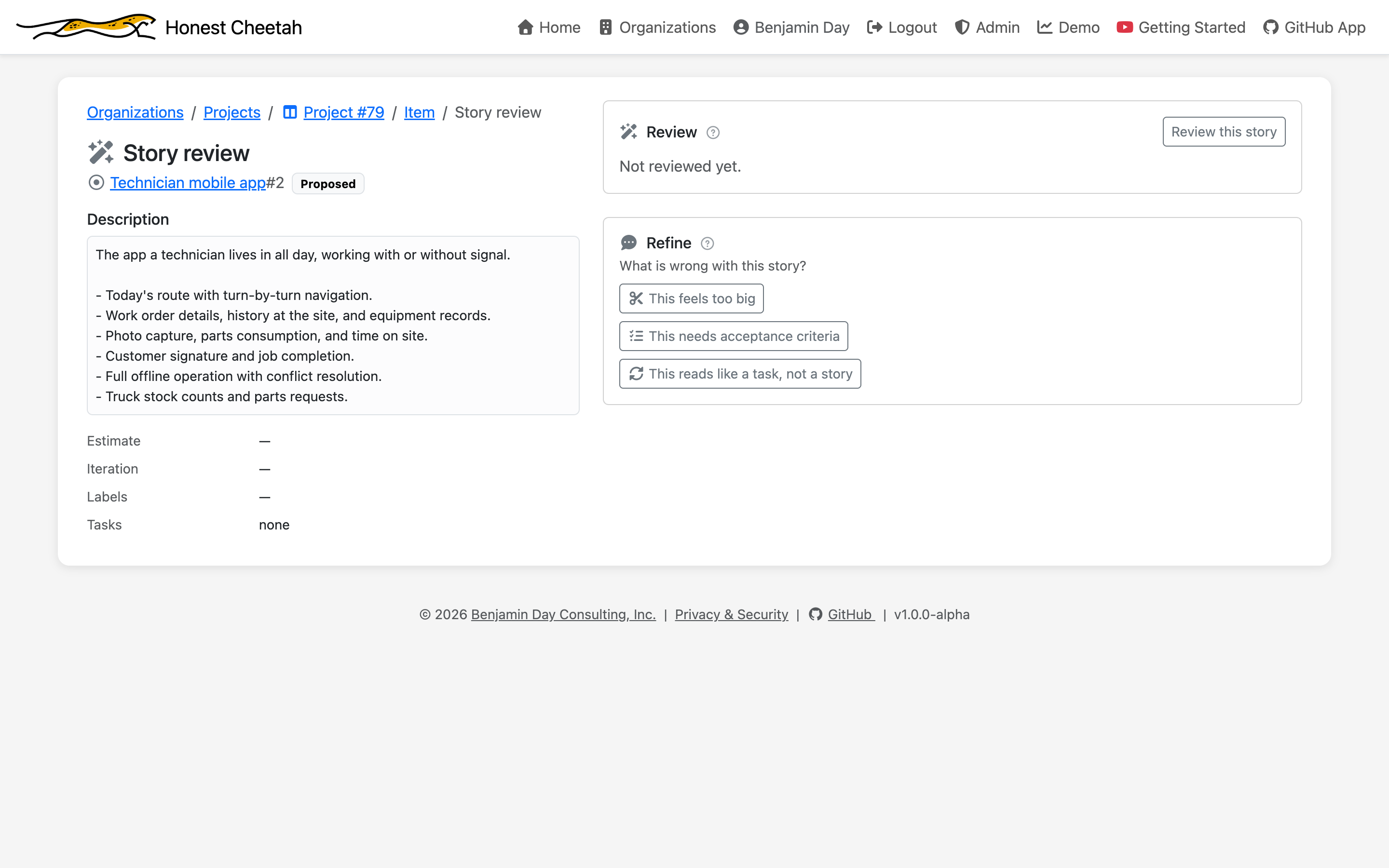
The review and the buttons are one workflow. If the review found that the story has no acceptance criteria, the acceptance-criteria button is marked The review found this. You can also skip the review and go straight to the button you already know you need.
How bad is it, overall?
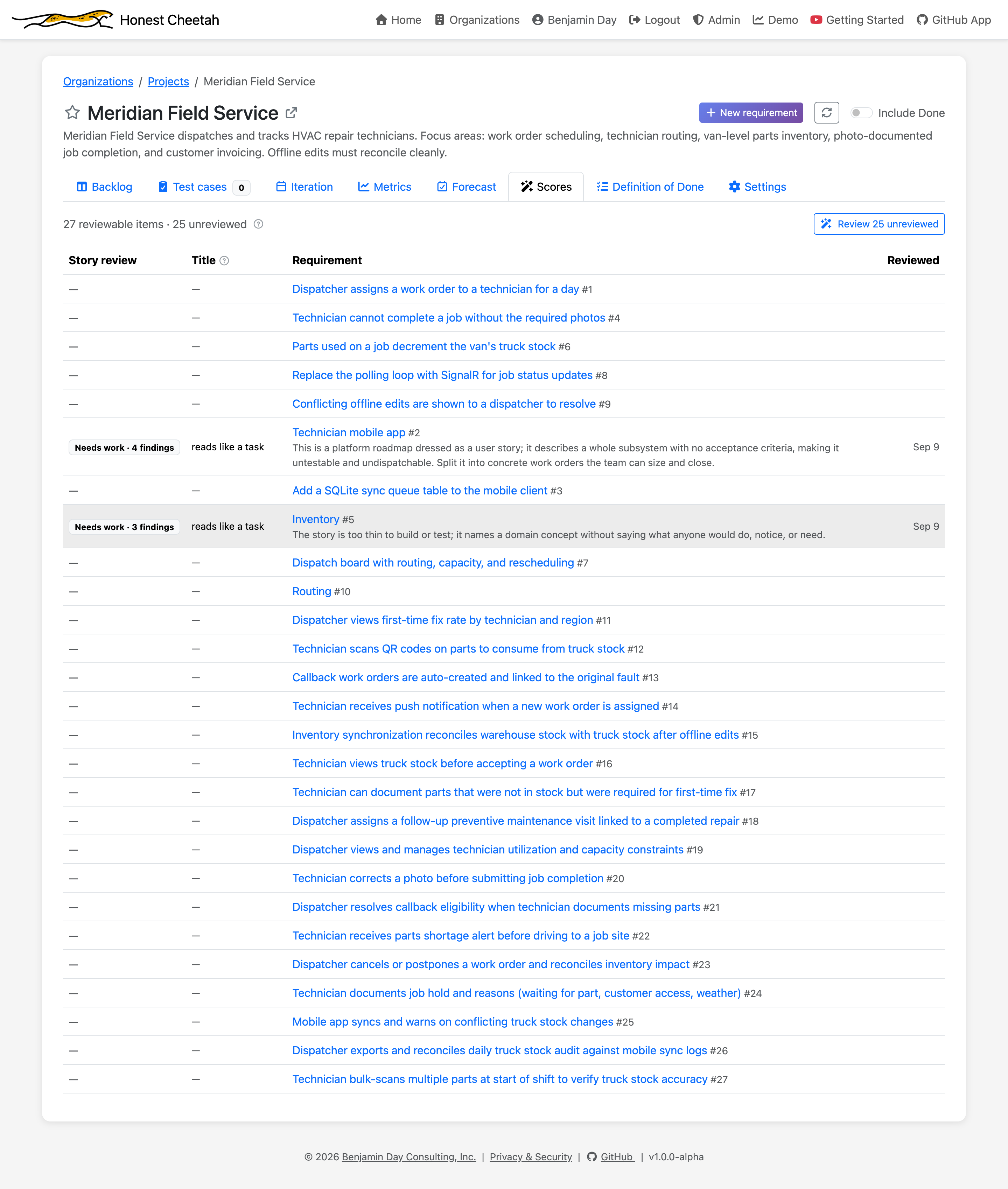
The Scores tab lists every requirement on the board with its verdict and summary, and how many haven't been reviewed at all. "Our requirements suck" becomes a count.
Skip the blank page
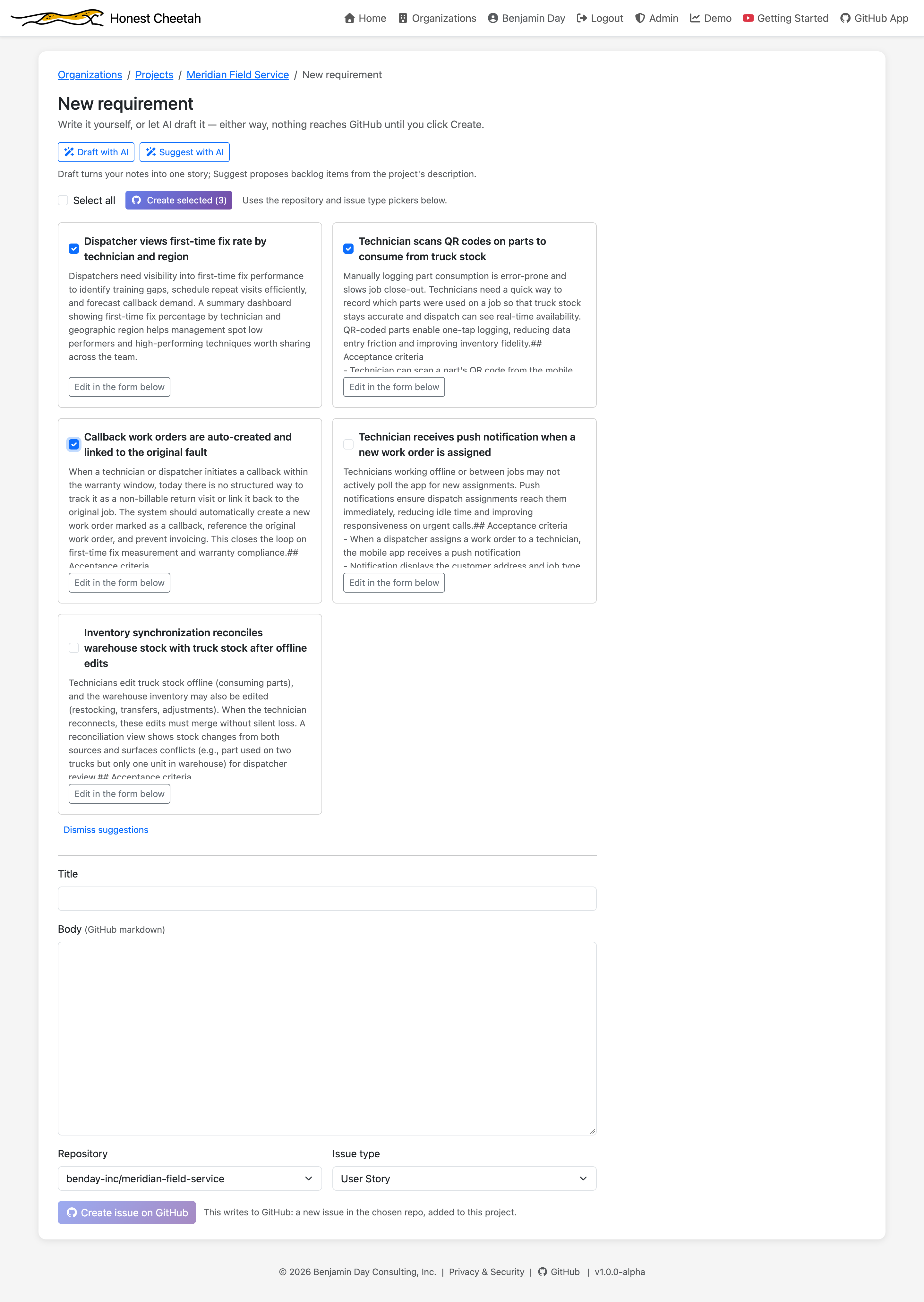
Draft with AI turns a couple of paragraphs of notes into a structured requirement you can edit and save. Suggest with AI reads the project's description and README and proposes candidate backlog items on checkbox cards — check the ones you want, create them in one click.
The honest part
None of this replaces the conversation with the person who wants the thing. The review names the problem. The buttons offer a fix. You're still the author, and GitHub still holds the result.