GitHub's own tooling migrates your code and stops.
Work items, Test Plans, classic releases, deployment groups — the things that actually run your business — are "remaining assets." Honest Cheetah brings the backlog and the test cases across. The people who built it can bring the rest.
Import your backlog Get the free extension Need help migrating?Bring your backlog and test cases to GitHub
Point Honest Cheetah at an Azure DevOps team project, paste a read-only token, and the work comes over: requirements become issues on a GitHub Projects board, tasks become sub-issues, test cases arrive with their steps, and the completed work becomes history — so the Metrics tab has a forecast on day one instead of a shrug.
One direction. Nothing is written back to Azure DevOps. Every step shows you what it's about to do before it does it, and nothing lands on GitHub until you click a button that says so.
How it goes
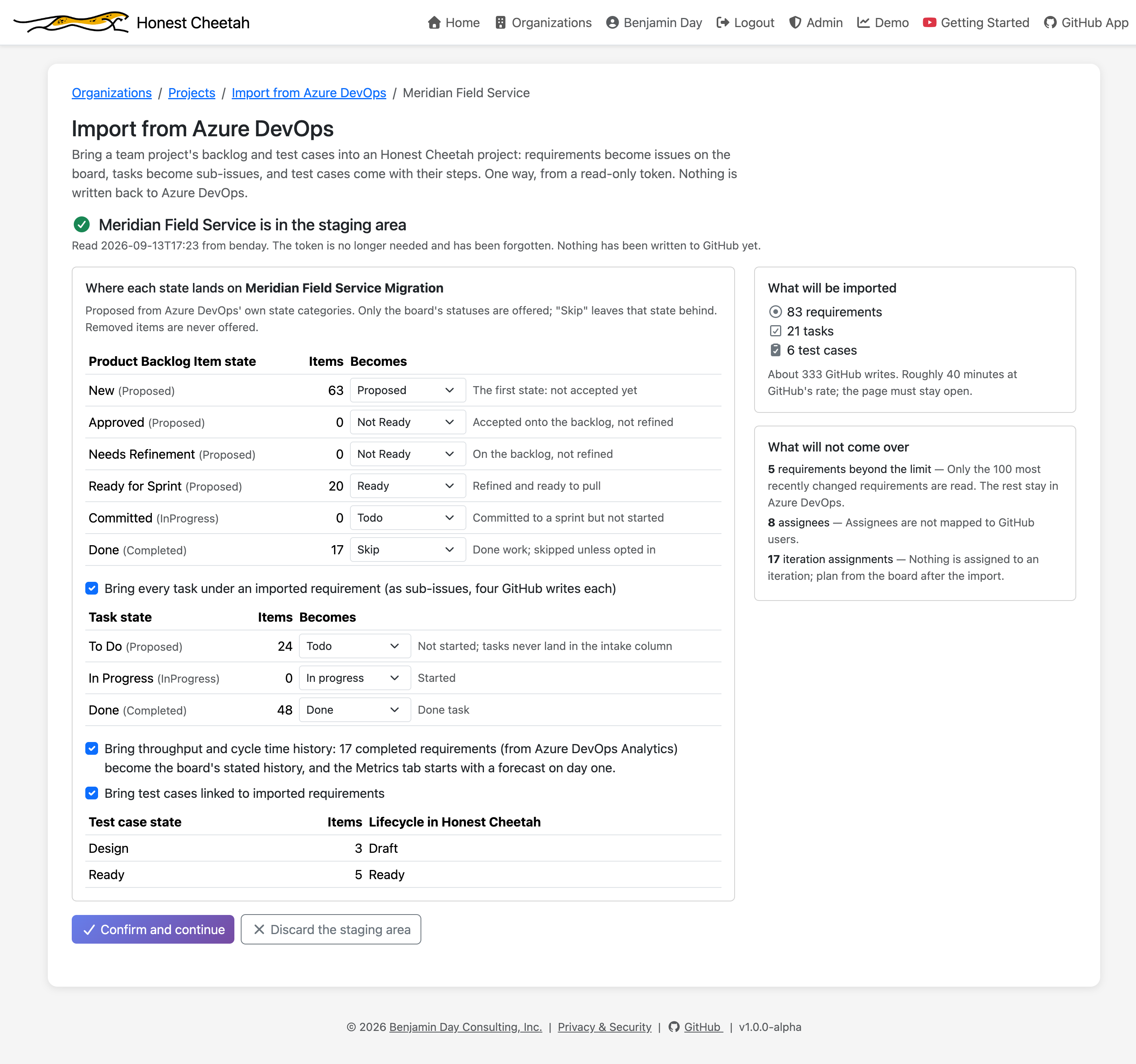
- Connect. The organization URL and a personal access token with one scope: Work Items (Read). Add Analytics (Read) if you want the throughput and cycle time history to come with it. The token lives in the browser tab and rides each request as a header; the server keeps nothing, the log holds a fingerprint, and closing the tab is the same as revoking it. A bad token fails in seconds with a plain message.
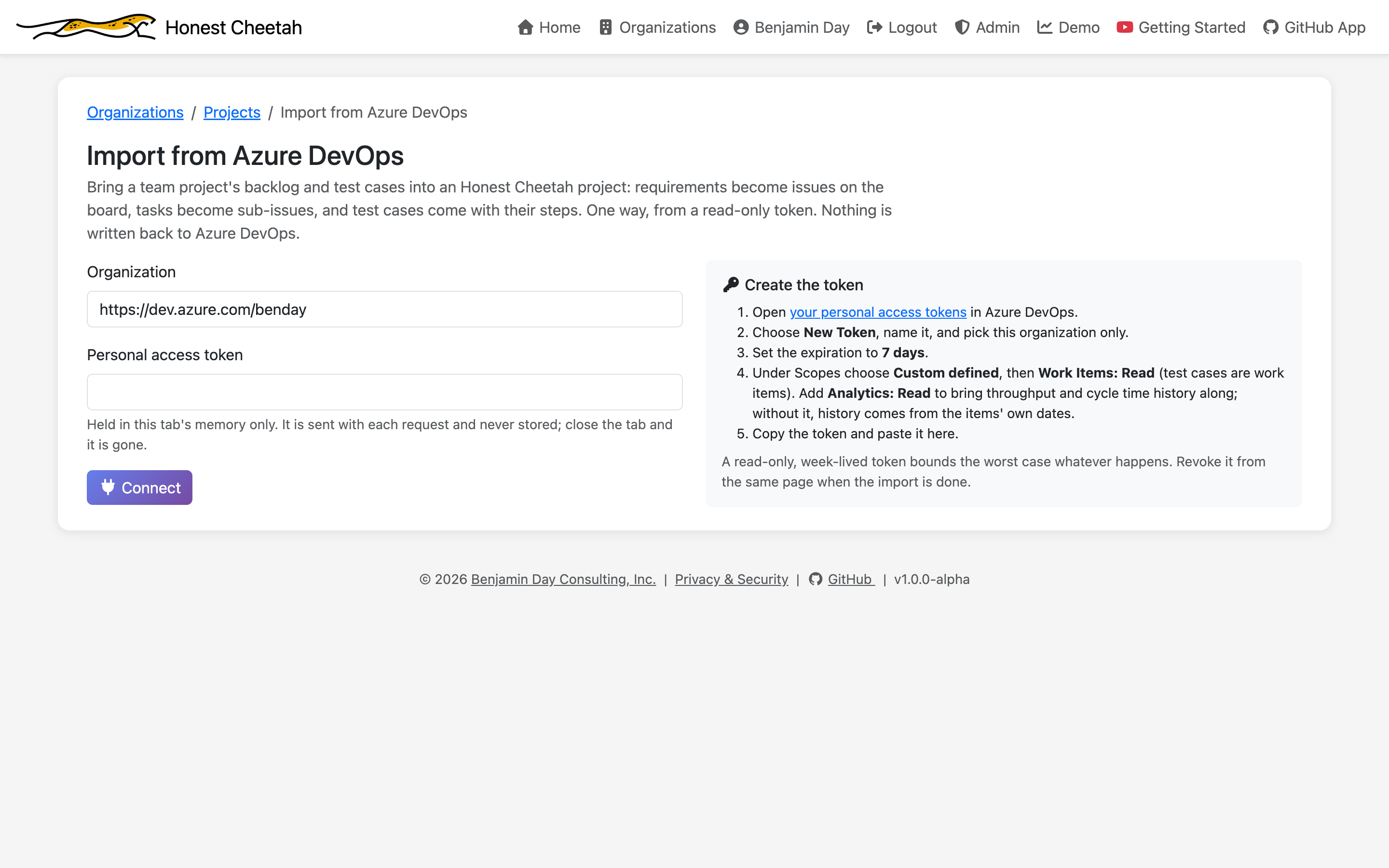
- Pick. A team project and a target board. HC reads the process and works out which work item types are the requirement, the task, the test case, and the shared steps — Product Backlog Item, User Story, Requirement, and Issue all resolve without asking — and lists each type's states. No board yet? The project factory makes one, named after the team project, and brings you back.
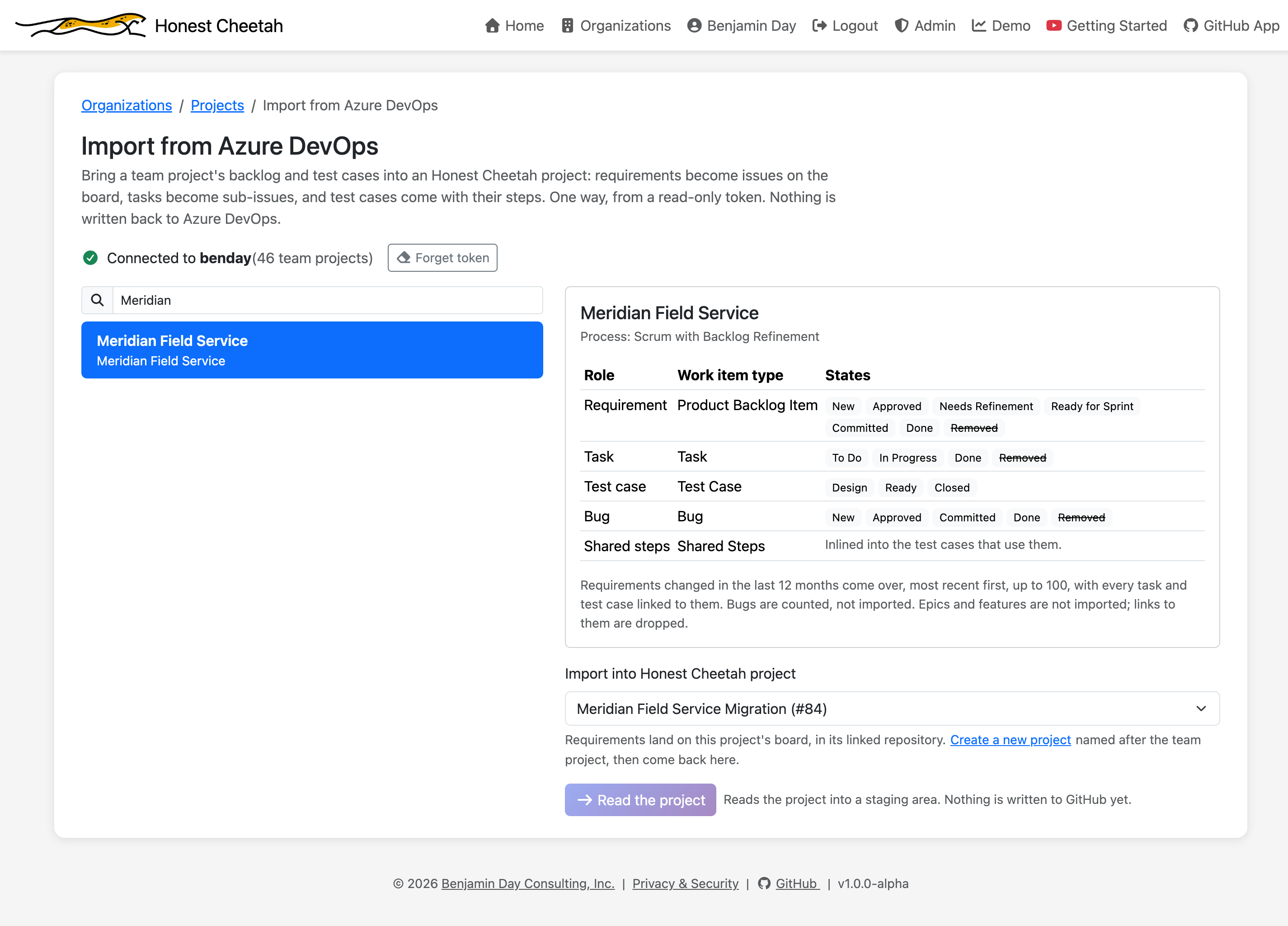
- Read. Requirements changed in the last twelve months, most recent first, up to 100; then every task, test case, and shared step linked to them; then the completed items for history. Into a staging area, one bounded request at a time. When reading ends, the token is forgotten.
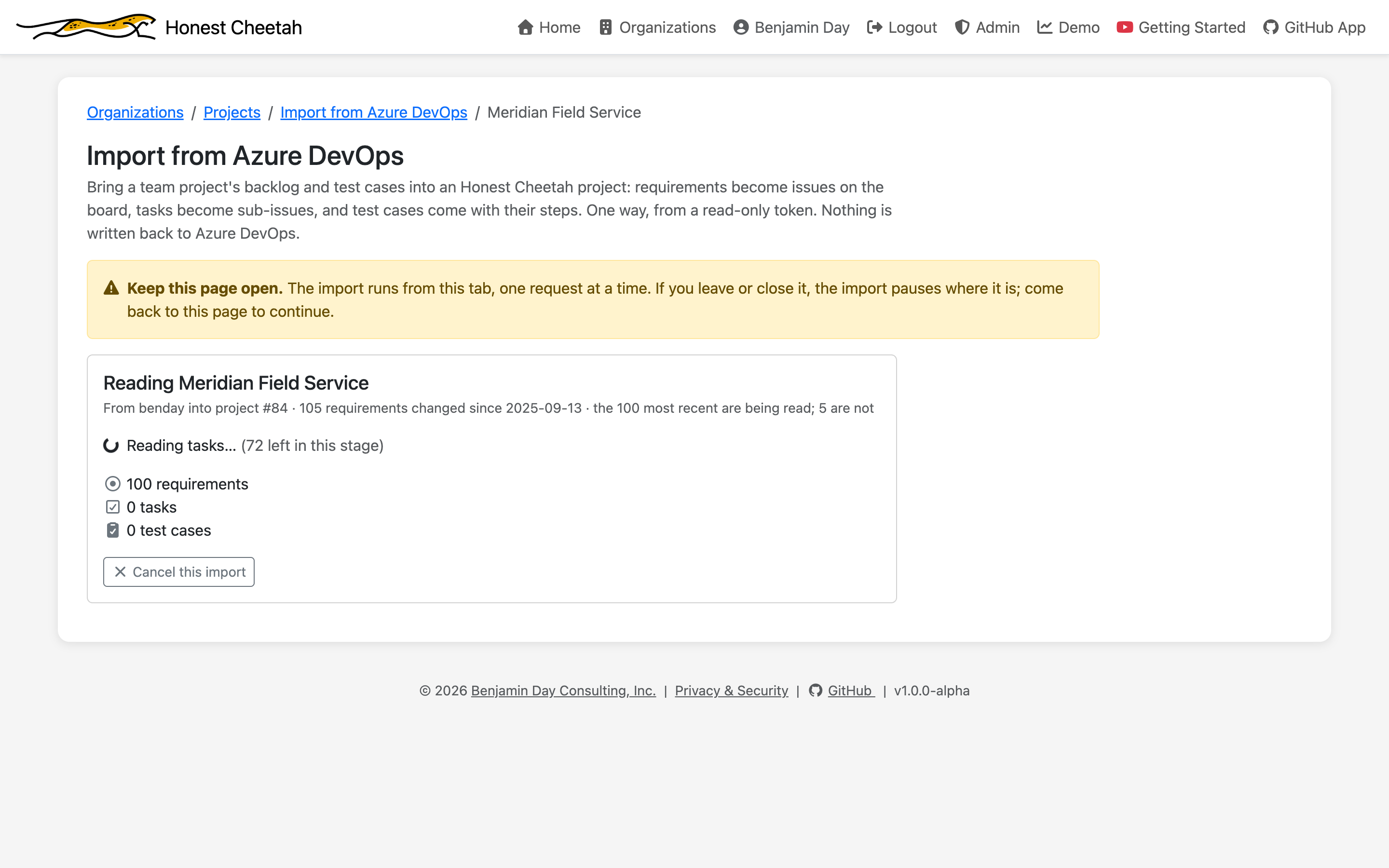
- Review. Each state with its count, mapped onto your board's statuses from Azure DevOps' own state categories. Change any of them. Toggle tasks, history, and test cases. Watch the write count and the minutes change. Read the list of what will not come over.
- Preview. What will land, in backlog order: each requirement's body as GitHub will receive it, its tasks, its test cases with their steps, and the footer that says which work item it came from.
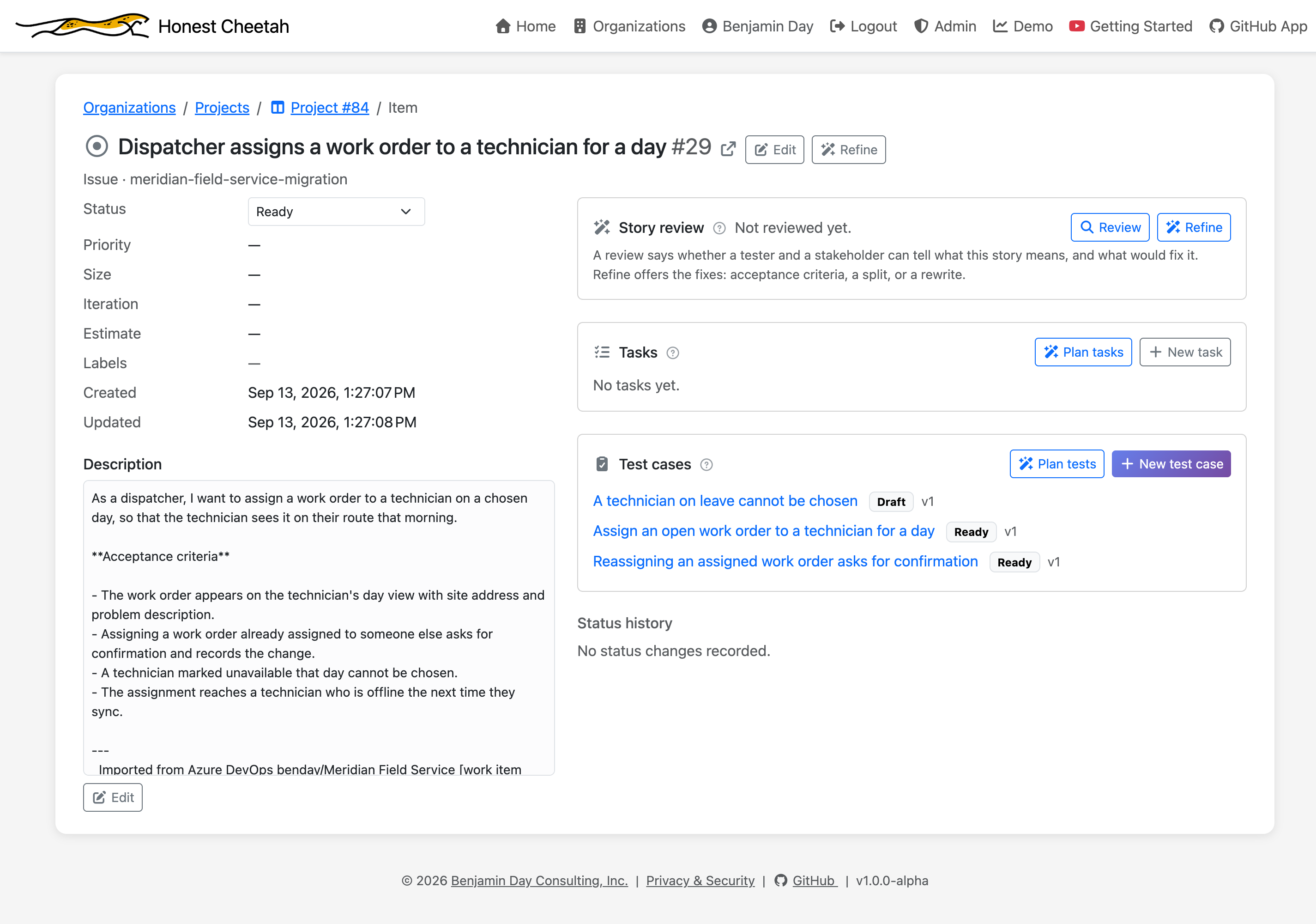
- Load. Five and pause, so you can look at the board before committing to the rest. Or everything. Requirements become issues with their mapped status, tasks become sub-issues with status and remaining work, and test cases are created in HC linked to the new issue. A failed tree is listed with a retry. GitHub's rate limit pauses the load and it picks back up.
- Done. Counts, and links to the backlog, the test cases, and the metrics. The staging area is reduced to an origin record: which work item became which issue or test case.
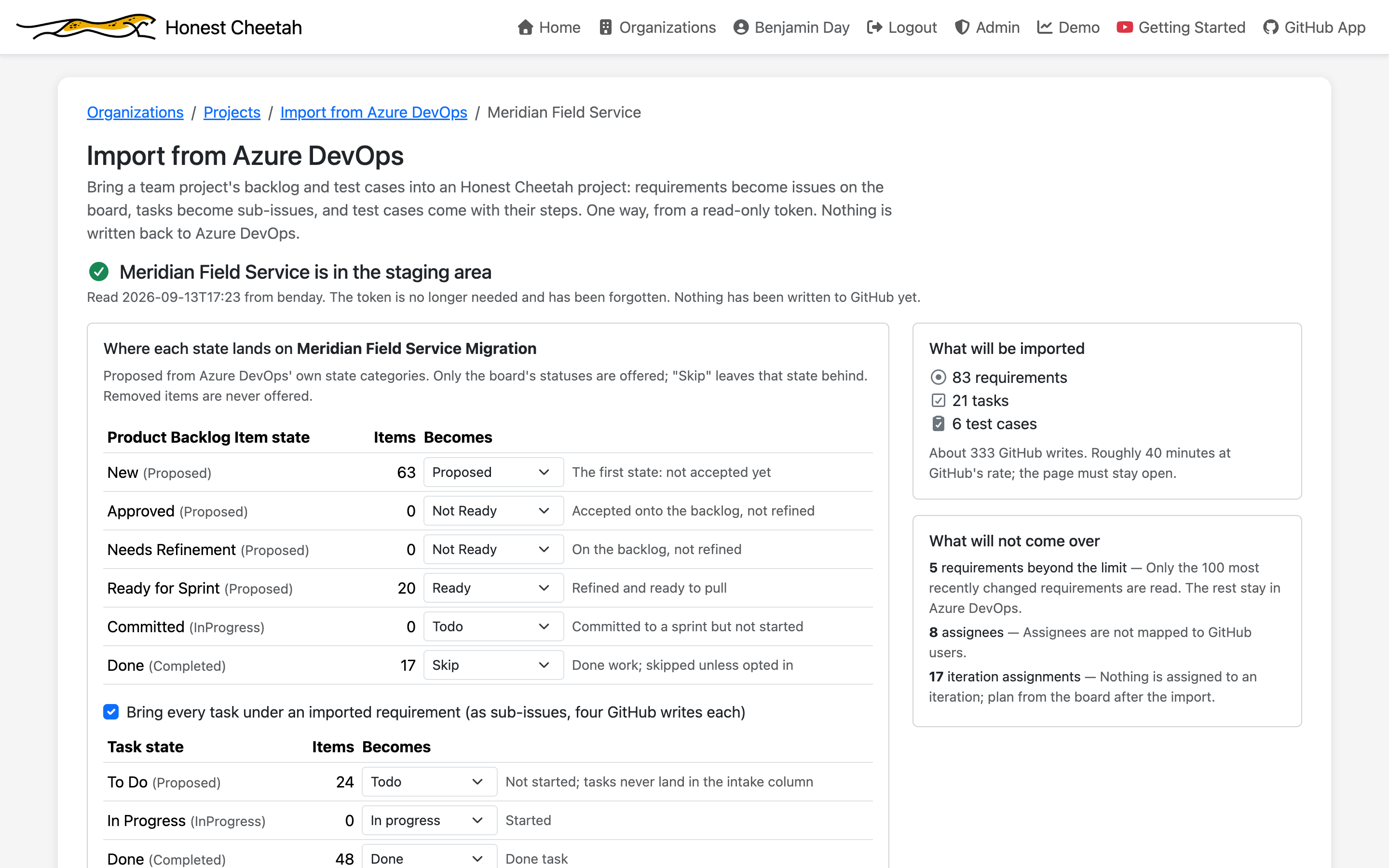
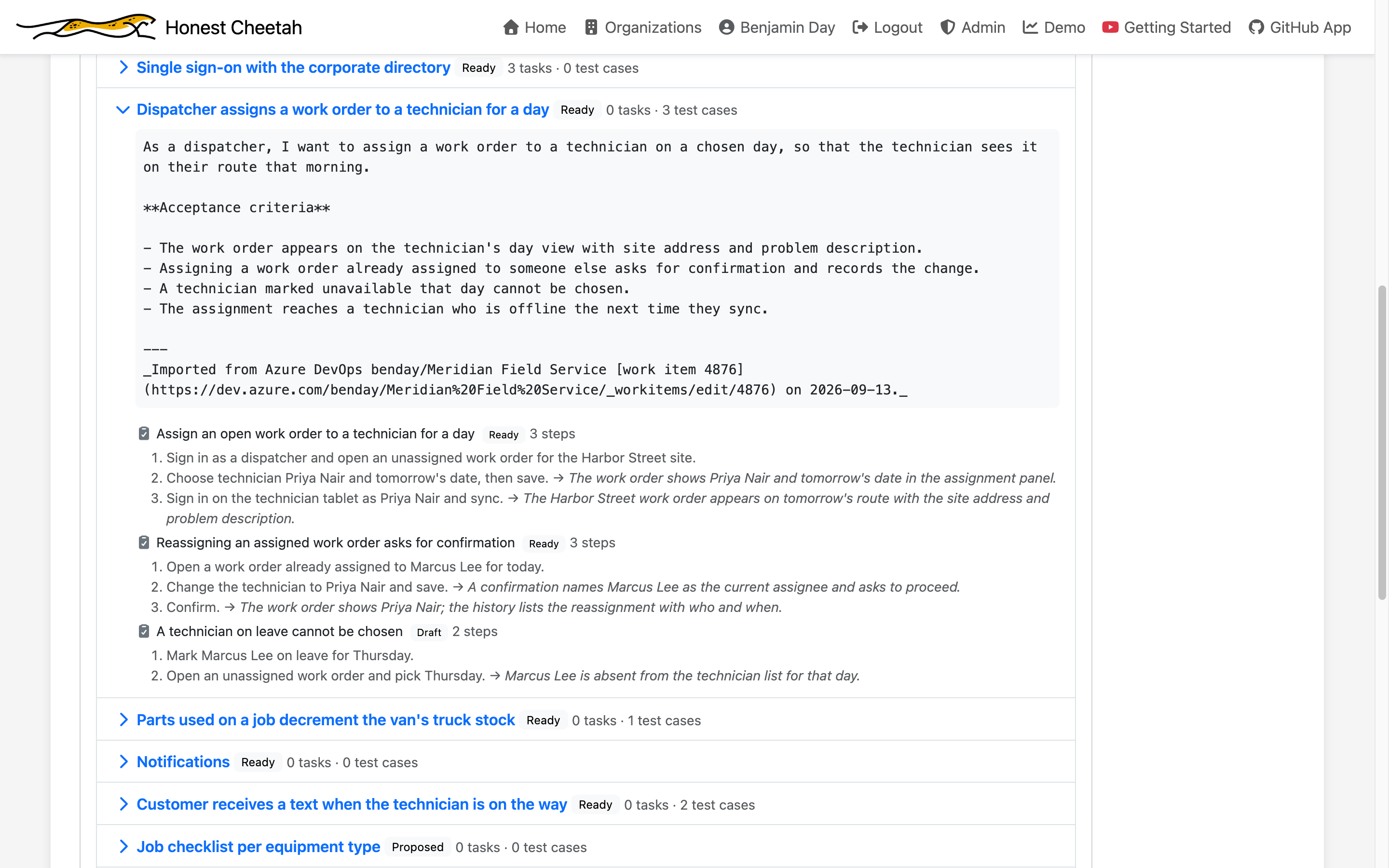
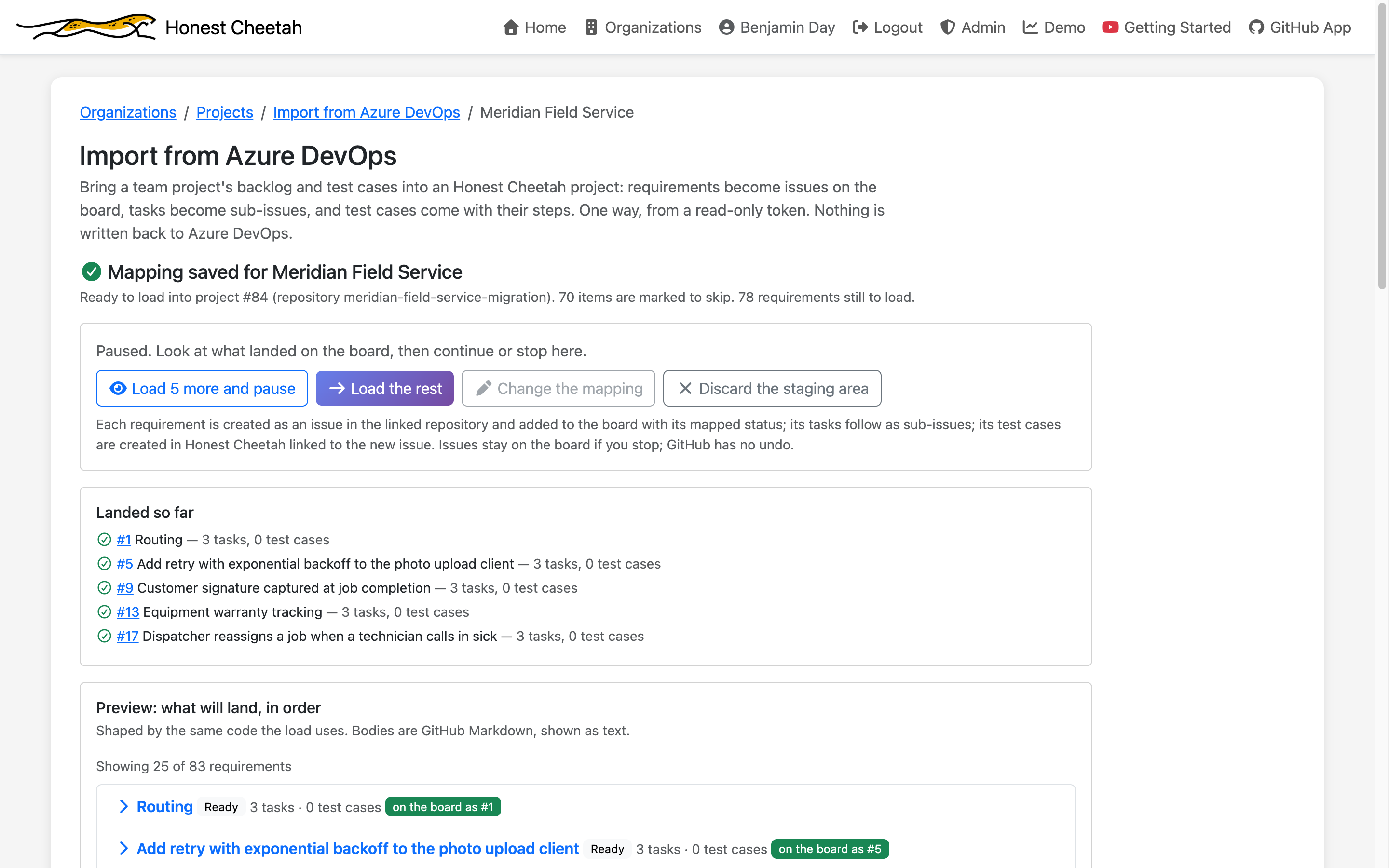
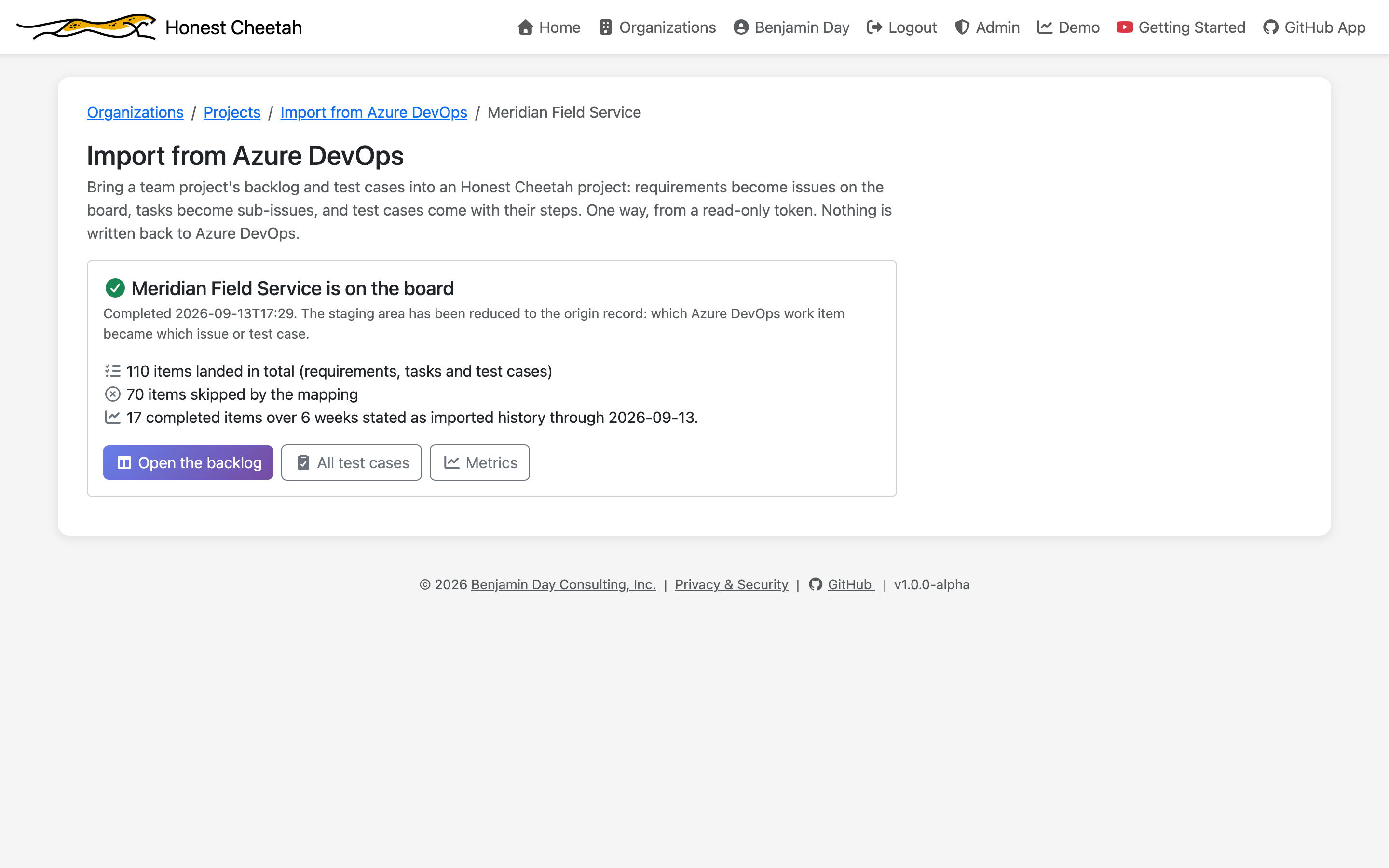
After the import
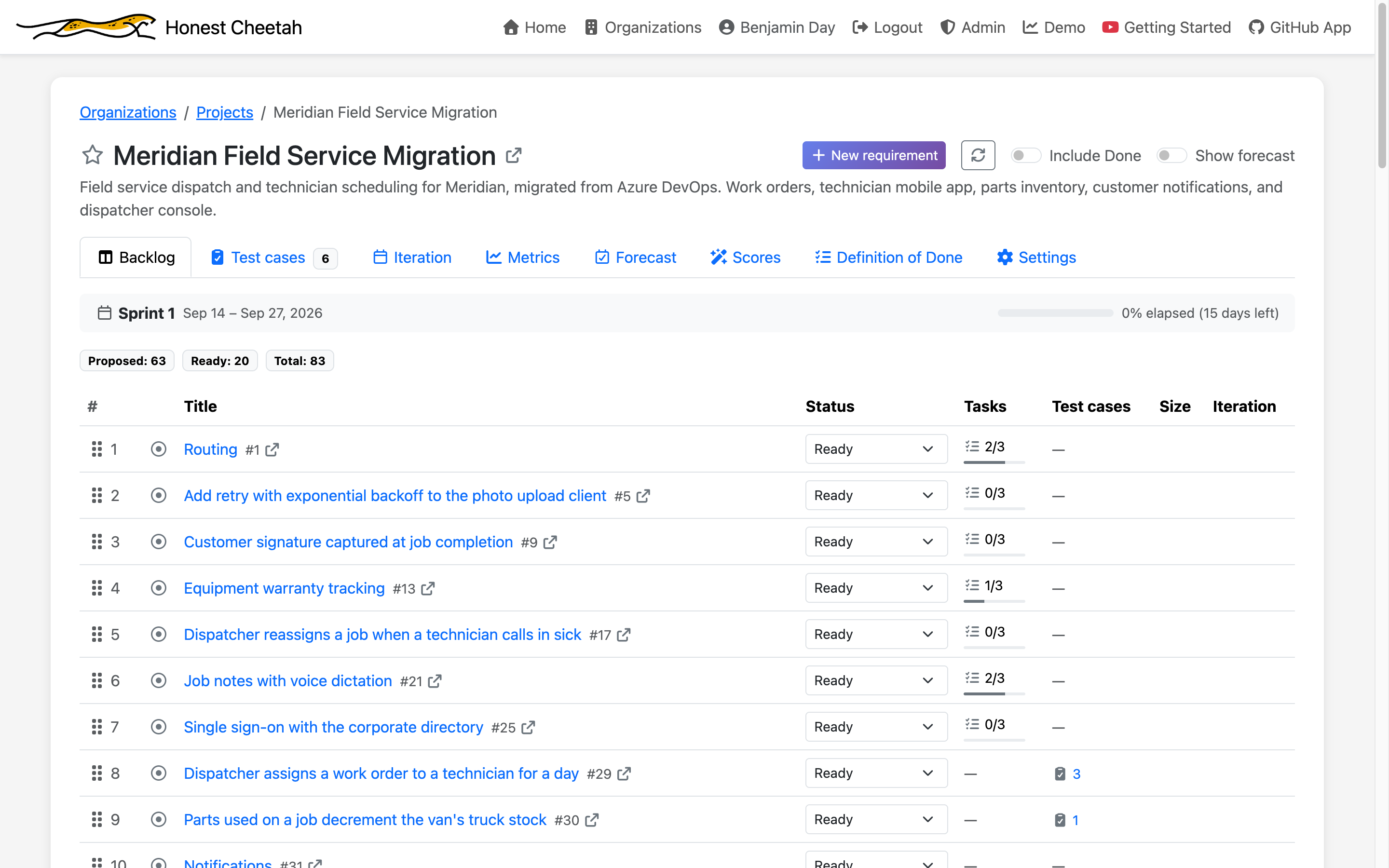
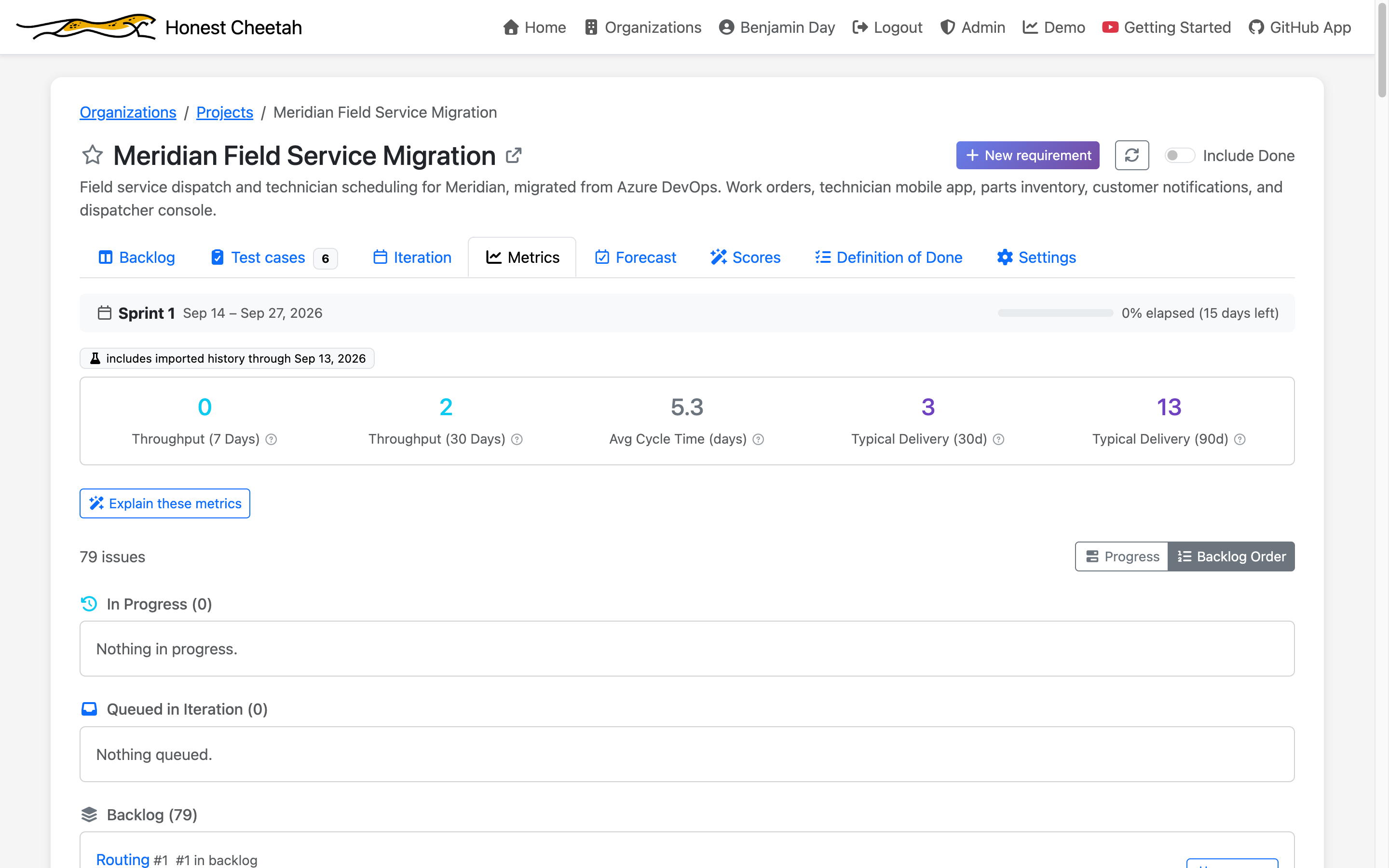
It's a board. The backlog is in Azure DevOps' stack-rank order with the statuses you mapped, every task under its requirement, every test case on the story it verifies, and the Metrics tab already knows how fast the team has been going.
What comes over, and what doesn't
Comes over
- Requirements changed in the last 12 months, the 100 most recent, in backlog order, with description and acceptance criteria as Markdown
- Every task under an imported requirement, with status and remaining work
- Test cases linked to those requirements, with steps and tags; shared steps inlined where they're used
- Parameterized test cases as one case per data row, up to ten, values substituted into the steps
- Completed requirements as throughput and cycle time history, from Azure DevOps Analytics
- A footer on every issue naming the work item it came from, with a link
Stays behind
- Attachments and inline images (counted; GitHub issues have no attachment API)
- Bugs, epics, and features (counted, not imported)
- Assignees and iteration assignments (plan from the board afterward)
- Commit links, comments, and work item history
- Closed test cases, and requirements in Done or Removed, unless you opt Done back in
- Azure DevOps Server; this is for dev.azure.com
Once, and early
The import is available once per Honest Cheetah project, during your organization's first 30 days. It's for getting a team onto its board with its history and its test cases in one sitting, not for running a migration program on. If you have more than that — more projects, more than a year of history, attachments you can't leave, a Server install — the people who built this do migrations for a living. Read on.
If you've got Test Plans you'd want to bring, we'd like to hear what's in them — how many cases, how many are parameterized, how many still get run. feedback@honestcheetah.com
Sign in with GitHub and import
Staying put? Free metrics and forecasting inside Azure DevOps
Your Azure DevOps data already knows when it'll be done. The extension reads your work item history and tells you: cycle time, throughput, and a Monte Carlo forecast. No estimates. No process changes. No cost.
Cycle time & throughput
How long work really takes, and how much really finishes — computed from your work item history. Not from anyone's estimates.
"When will it be done?"
Monte Carlo forecasting over your own throughput. A range with a confidence level — the honest answer to the only question that matters.
Aging work detection
The items that have been "in progress" longer than your typical delivery window. Stated as a fact. You'll know what it means.
Why free? Because the Azure DevOps world is where we came from. Twenty years of TFS and Azure DevOps consulting is what taught us what delivery trouble looks like — this extension is that pattern recognition, pointed at your data, at no charge. Install guide →
Need help with the migration itself?
Moving the code is the easy part. Everything else — work items, Test Plans, classic releases, deployment groups, the branching model nobody remembers choosing — is where migrations stall. Benjamin Day Consulting, the company behind Honest Cheetah, has been doing this for twenty years.
GitHub Readiness Assessment
Fixed price, about two weeks, remote. A written read on what your migration actually involves — repos and TFVC, work items, Test Plans, pipelines, release governance, deployment topology — and a sequenced plan. Name the disease before you buy the cure.
What usually follows
TFVC-to-Git conversion. Pipeline and release conversion to GitHub Actions. Work item and Test Plans migrations bigger than the import handles. Azure DevOps Server upgrades for the teams staying put. Git and GitHub training for the people who have to live in it afterward.
Talk to Benjamin Day Consulting
Already on GitHub?
Honest Cheetah for GitHub is the landing pad — including for your test management, which GitHub famously doesn't have. Five people, 15 days, the whole product. Then it's per seat.