GitHub has issues, pull requests, and Actions. It has no test case management.
Honest Cheetah puts test cases where the requirements are, runs them with a record of who did what against which build, and keeps that record after the sprint is over.
Teams coming from Azure DevOps notice on day one. Teams that started on GitHub have been keeping test cases in a spreadsheet, a wiki page, or nowhere, and calling the PR checks "testing."
Test cases live with the requirement
A test case belongs to a requirement — a real GitHub issue on your Projects board. Open the requirement and its cases are listed under it. Open a case and the breadcrumb goes back to the requirement. That link is the whole point: when someone asks "was this story tested?" the answer is on the story.
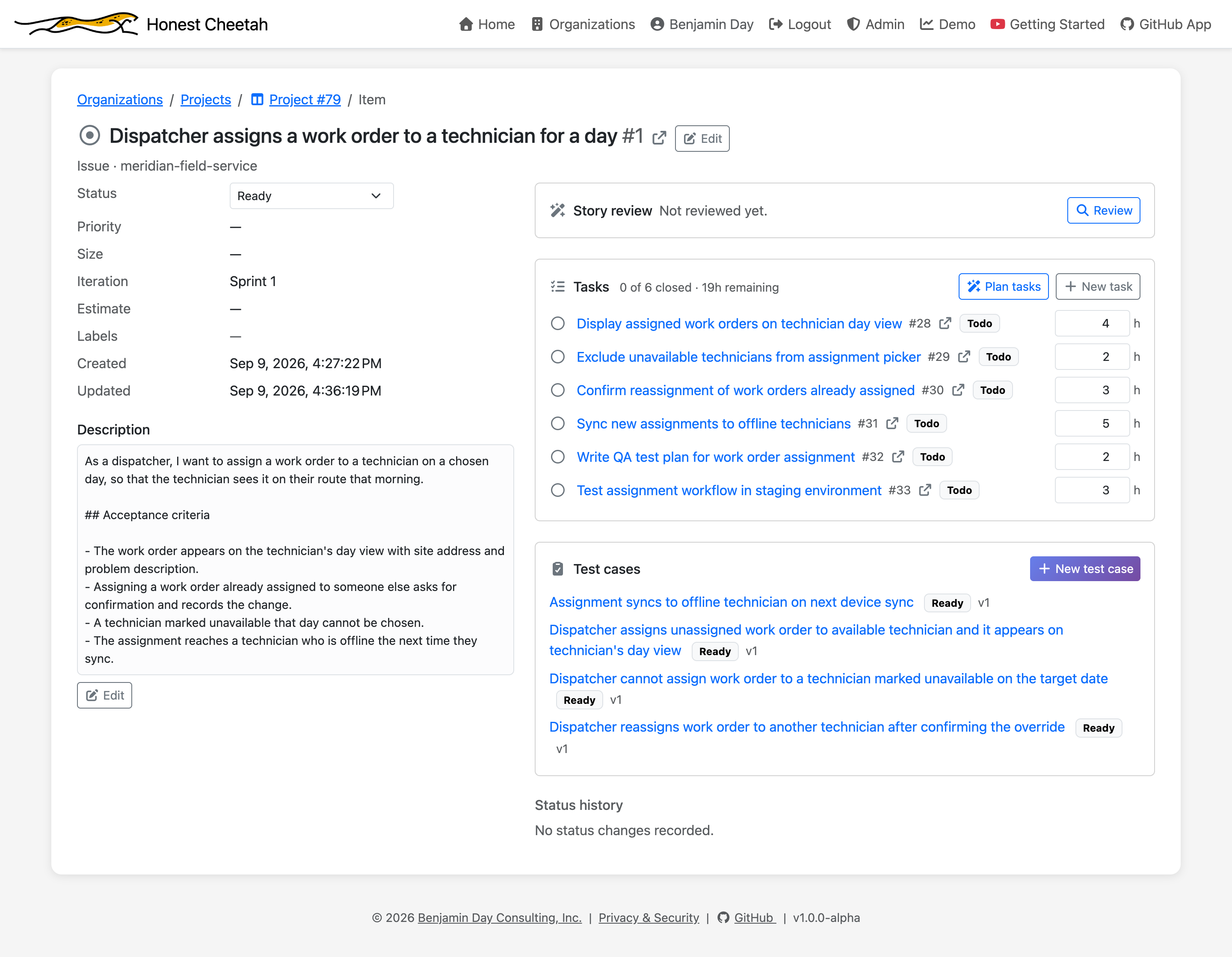
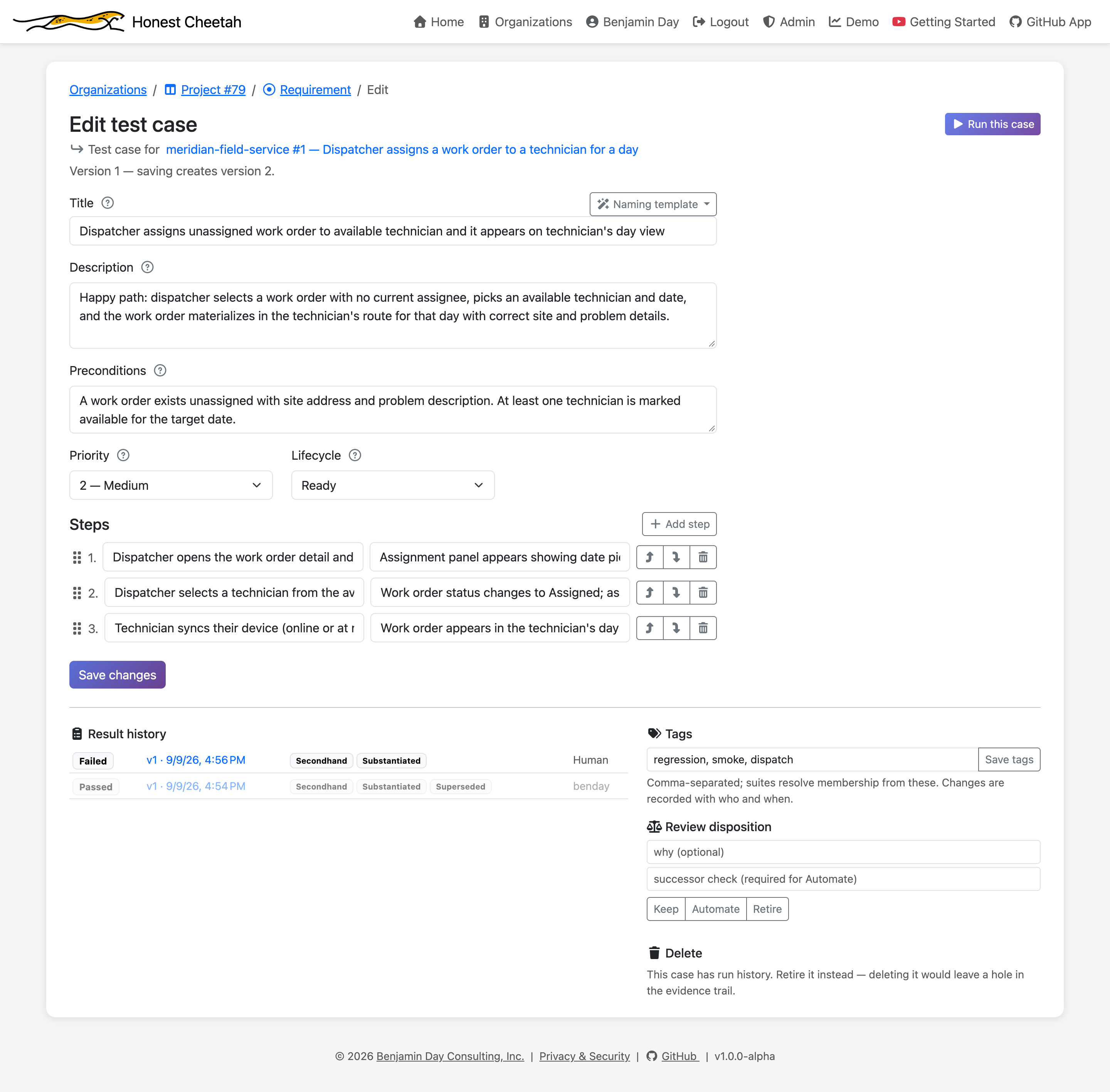
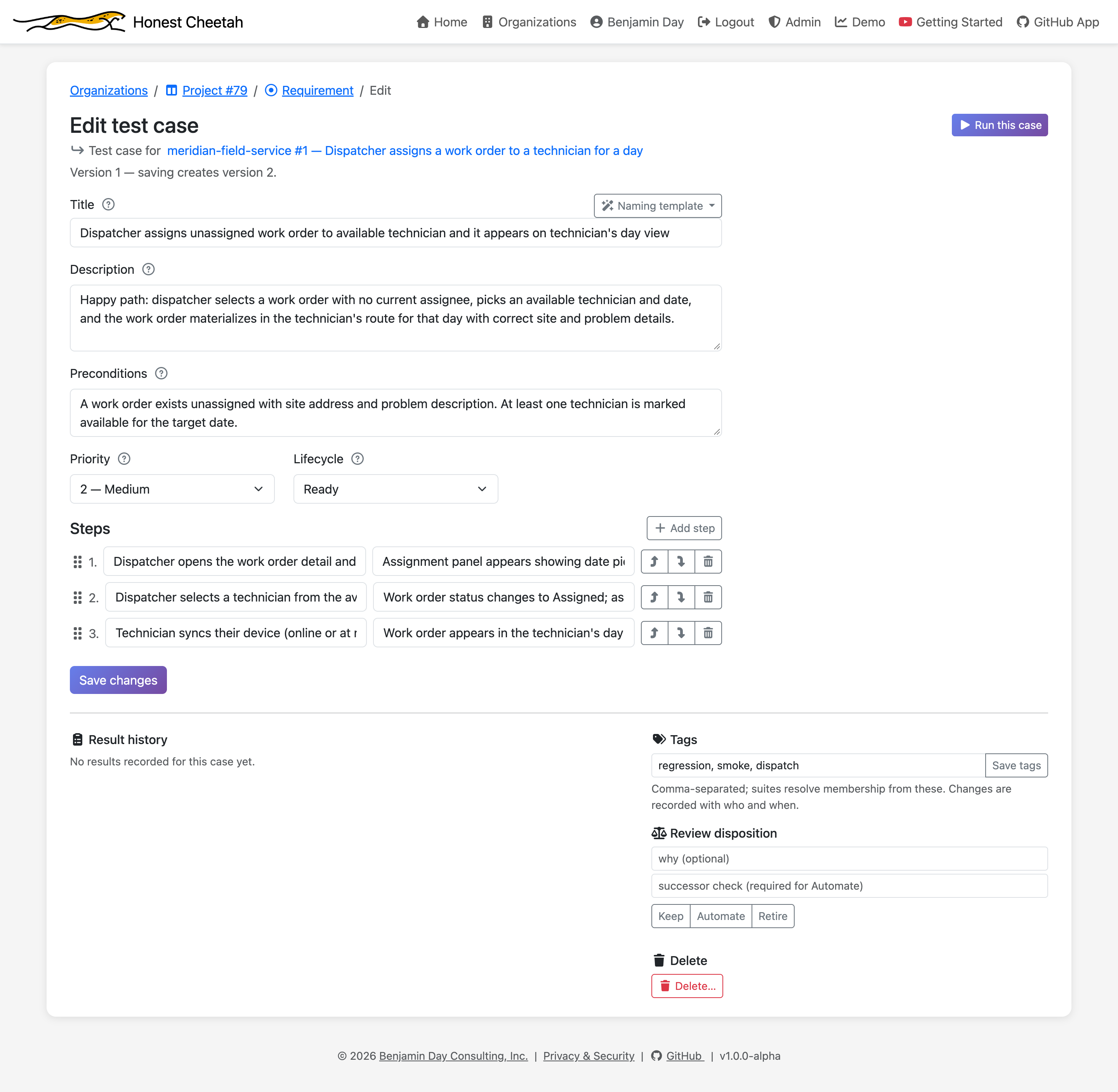
Cases have steps, a priority, a lifecycle, tags, and a result history showing every outcome the case has ever produced, which version of the case it was, and who did the testing. A case with history can't be deleted; the page tells you why.
Draft with AI, then decide
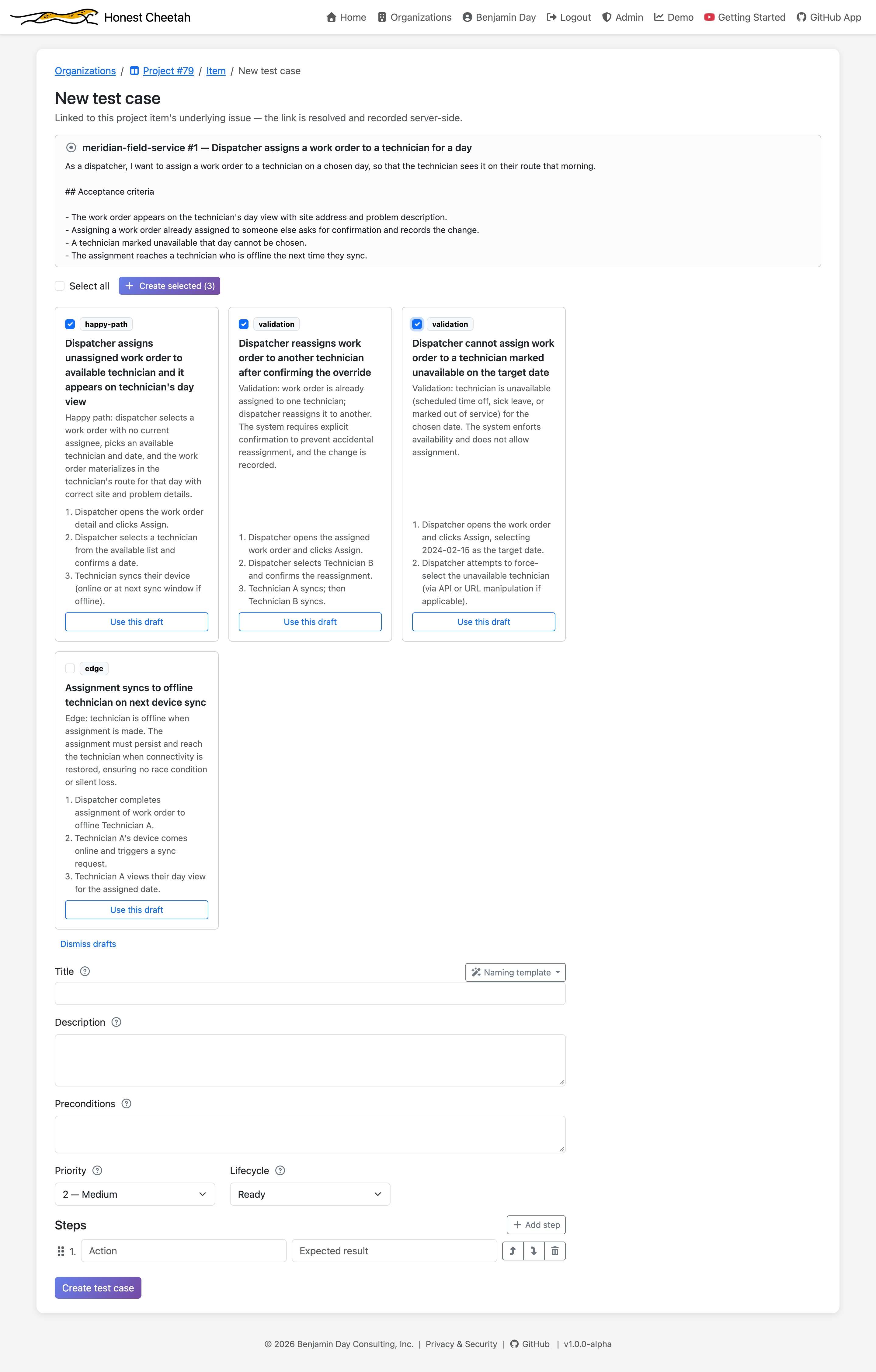
Pick a requirement and click Draft with AI. You get a handful of proposed cases — happy path, validation, edge — each on a card with a checkbox. Check the ones worth keeping, click Create, and they're real. Nothing is created until you click. Nothing is ever created for you.
Suites are tags
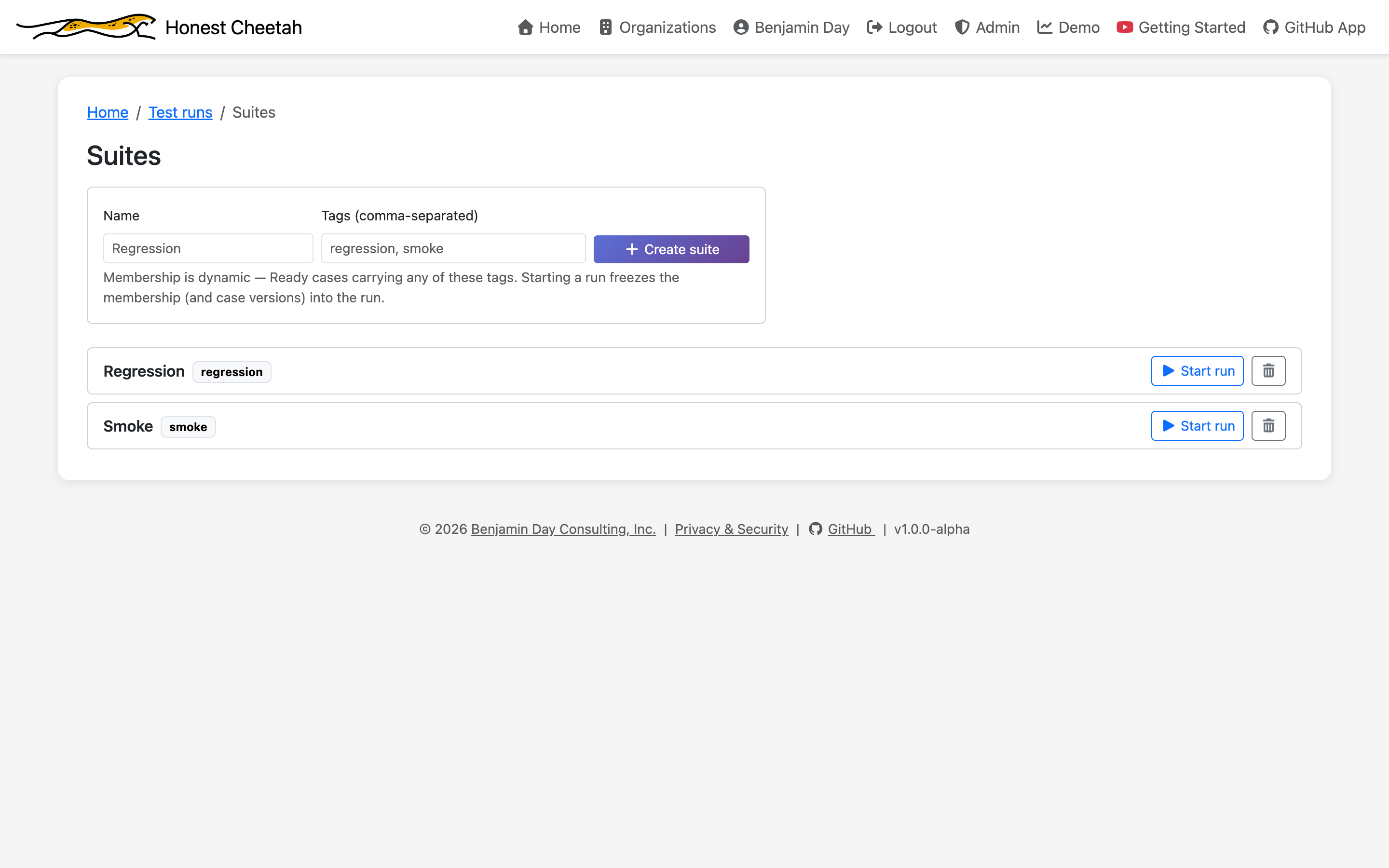
A suite is a name and the tags it matches. Tag cases regression and a suite called Regression picks them up. No membership lists to maintain, no case that quietly falls out of a suite because someone forgot to add it. Each suite has a Start run button.
Running a test
When you start a run, the first question is what are you testing?
Pipeline run
Pick a GitHub Actions workflow run. The run binds to that repo, commit, and run id. Every result is Substantiated.
I'll type it
An environment or an address. Honest Cheetah records it and labels the results Declared — you said what you tested; it didn't check.
Unattached
Allowed. Labelled Unsubstantiated, because that's what it is.
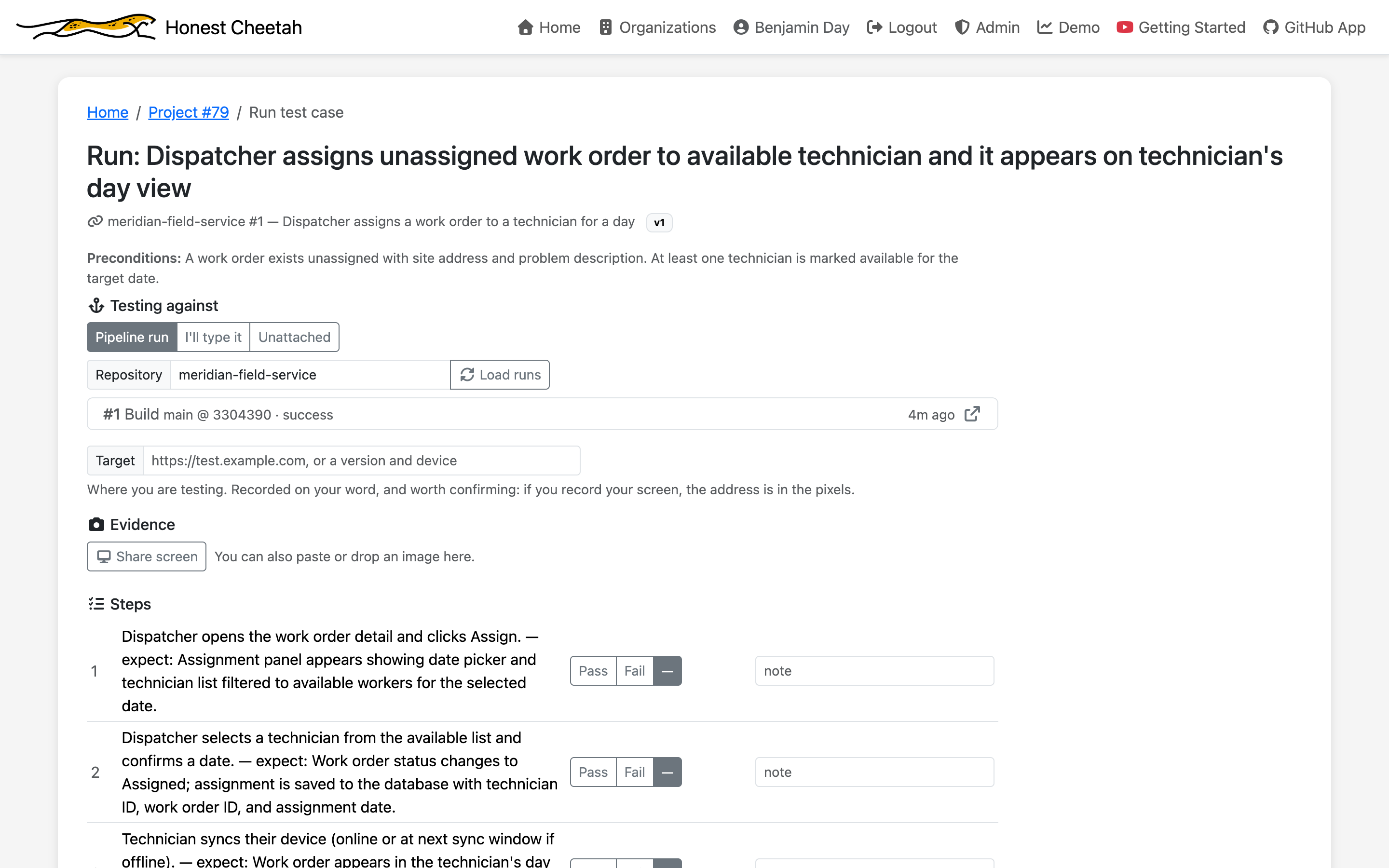
For each result you record who performed it — a human, an agent, or an automation, by name — the outcome, and notes. While you work, paste or drop screenshots onto the step you're on, or share your screen and let Honest Cheetah capture them. If you allow a recording, it gets a marker at each step so you can play back just the part that matters.
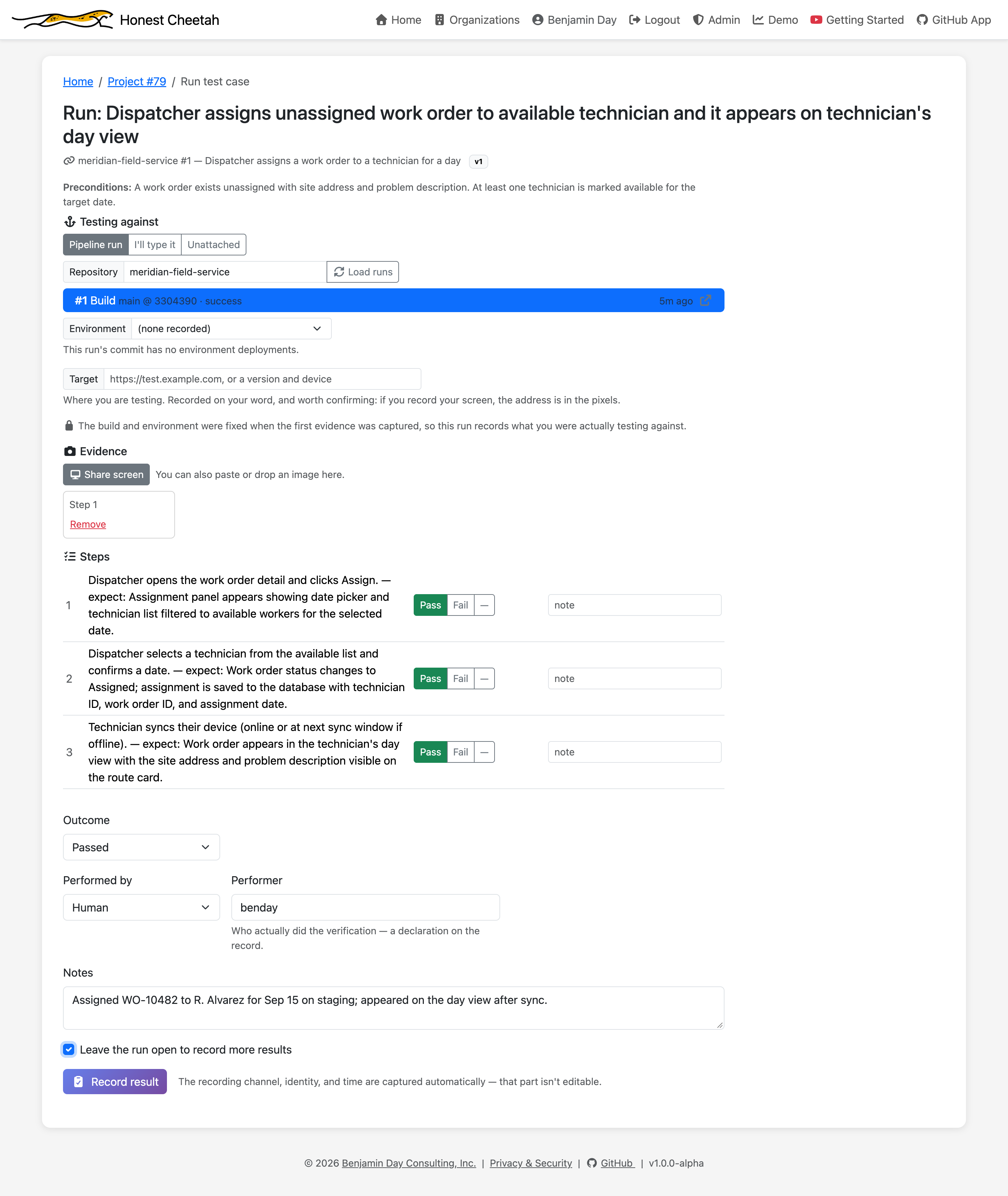
What the run keeps
A completed run shows what it was bound to, the evidence it captured, and every result with two labels: who did the testing and how firsthand that was (Firsthand, Secondhand, Corroborated, Hearsay, Unattributed), and what build it's about (Substantiated, Preliminary, Declared, Unsubstantiated). The labels are derived from the record. Nobody picks them.
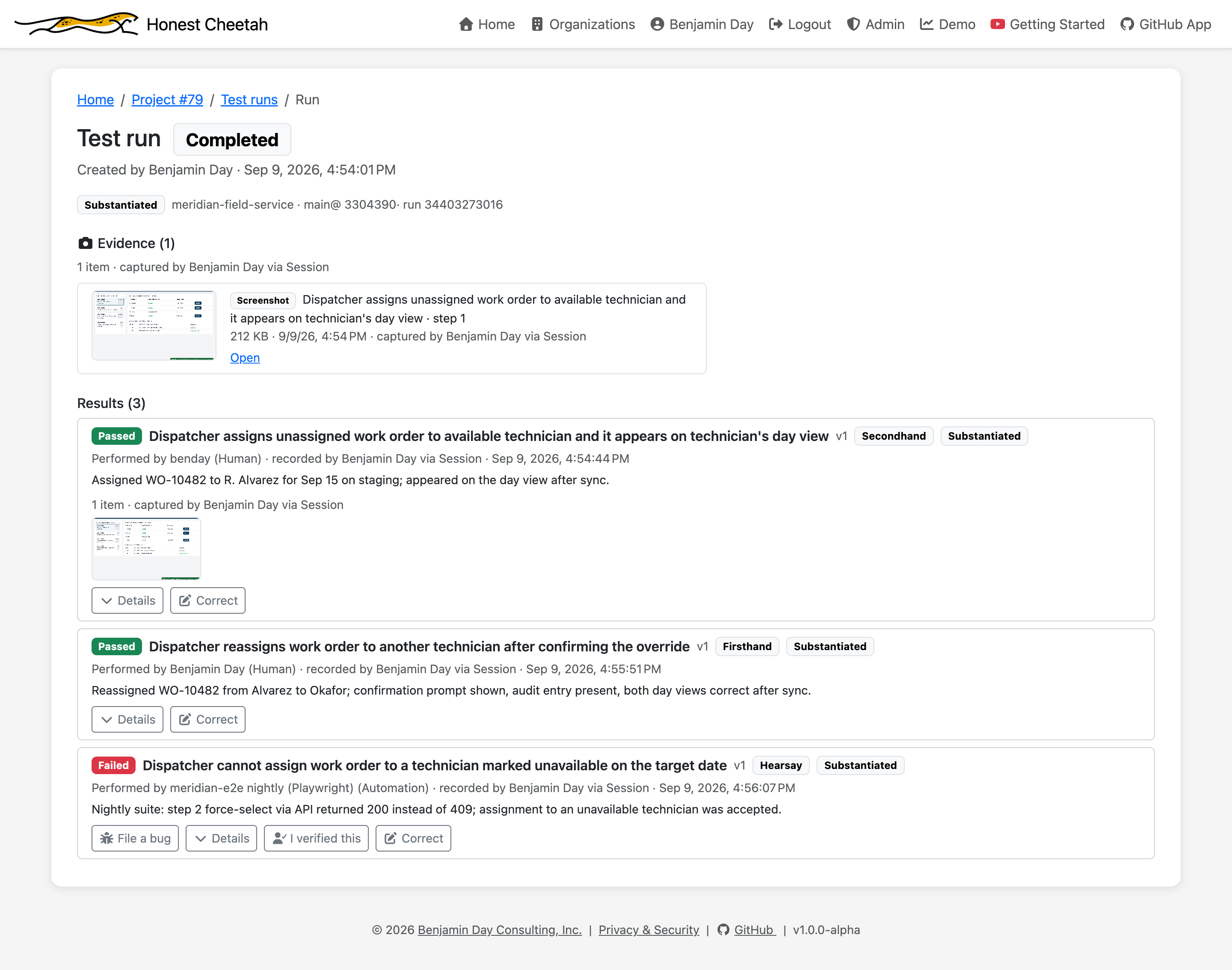
A result from an automation that nobody has looked at is Hearsay. That's a description, not a warning. Click I verified this and it becomes Corroborated, with your name on it.
Why the labels are what they are
Completed means completed
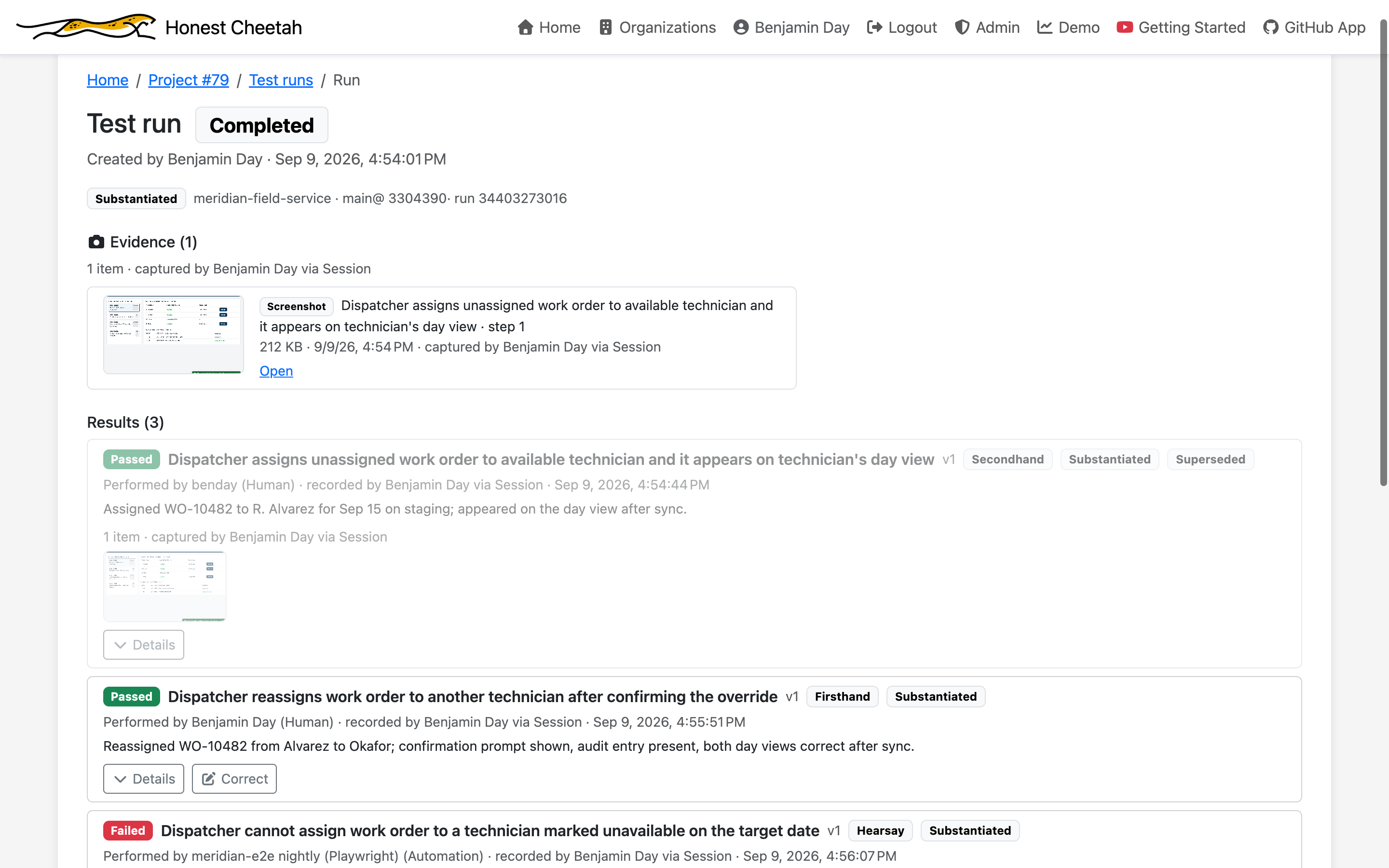
Once a run is completed, nothing in it changes. If a result was wrong, Correct records a new single-result run that says why and points back at the original, which stays put, dimmed and marked Superseded. The record never has a hole where a mistake used to be.
Exploratory testing
Not everything worth testing has a script. Click Exploratory test on the Test cases tab or the Iteration page, say what you checked ("Checked that the login redirect works on the test slot"), and record the result.
It's the same runner as a scripted case, so you get the same record: what you tested against, screenshots and recordings as evidence, who did it, and the same labels. A clicked-around-and-it-seemed-fine is still a result, and it gets labelled as honestly as any other.
No charters or session timers yet, and an exploratory result can't be attached to a requirement yet. Both are on the list.
File a bug from the failure
A failed result has a File a bug button. The form opens right under the result, prefilled with the test case, the step, the run it came from, and links to the evidence. Submit, and it's a Bug issue on your board, linked back to the run.
Keep, automate, retire
Every case has a review disposition. Mark it Keep, Automate, or Retire, and the suite you run by hand every sprint gets shorter on purpose instead of by neglect.
Five people, 15 days, the whole product
No feature gates, no "test management is a paid add-on." Sign in with GitHub, pick a board, and start on the requirement that scares you most. Then it's per seat.