A backlog that's actually a backlog.
Ordered. Editable. With a refinement stage in front of Todo so you can tell an idea from a commitment. All of it is GitHub Projects data — open the same board in GitHub and it's there.
The rule is simple: if GitHub can store it, GitHub stores it. Honest Cheetah adds the screens GitHub doesn't have and writes back only what you confirm, with your own credentials. No shadow copy.
The backlog
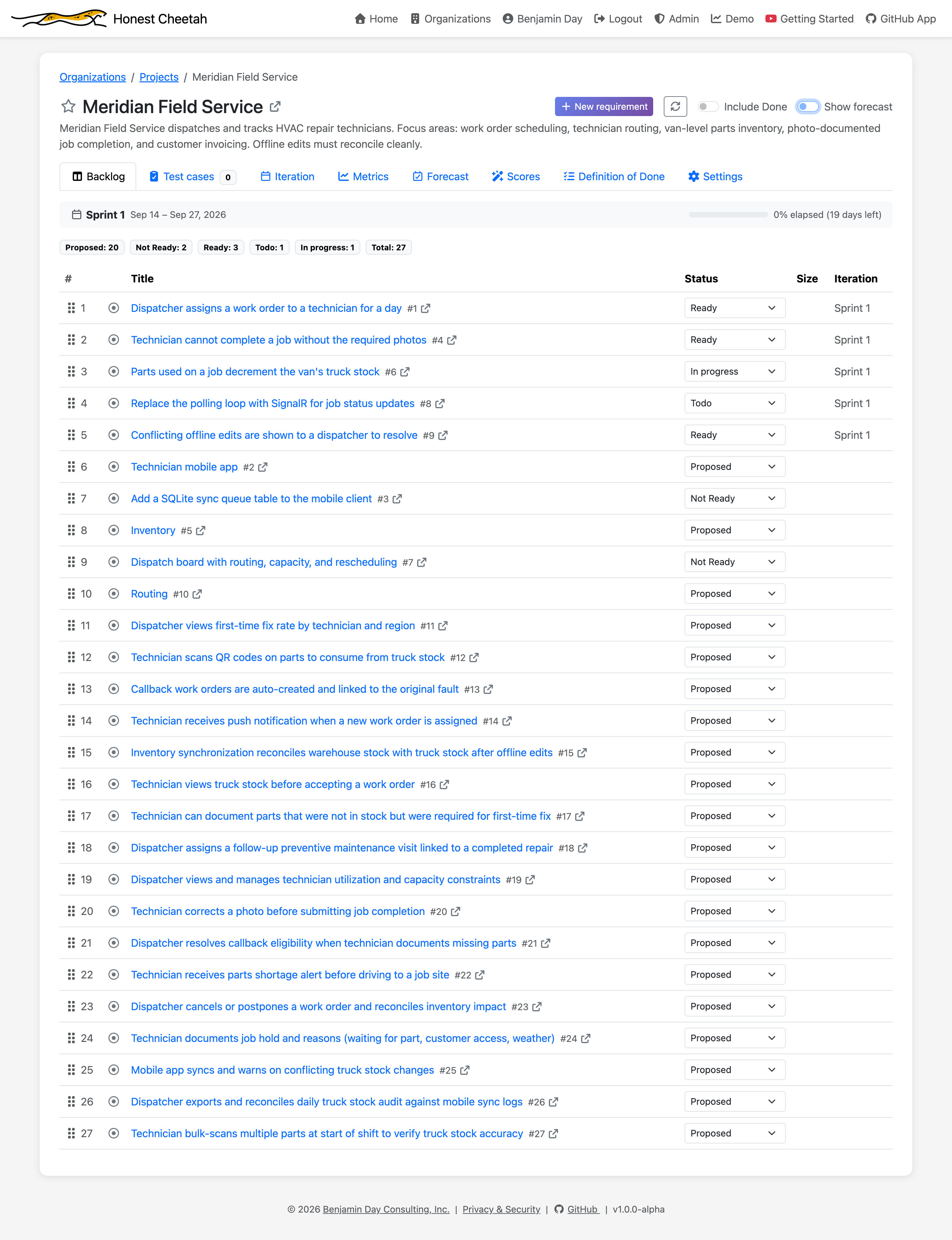
One ordered list. Drag to reorder. Change a status from the row. Every requirement shows its number, title, status, size, and iteration, and a sprint status line sits at the top so you know where you are.
Requirements
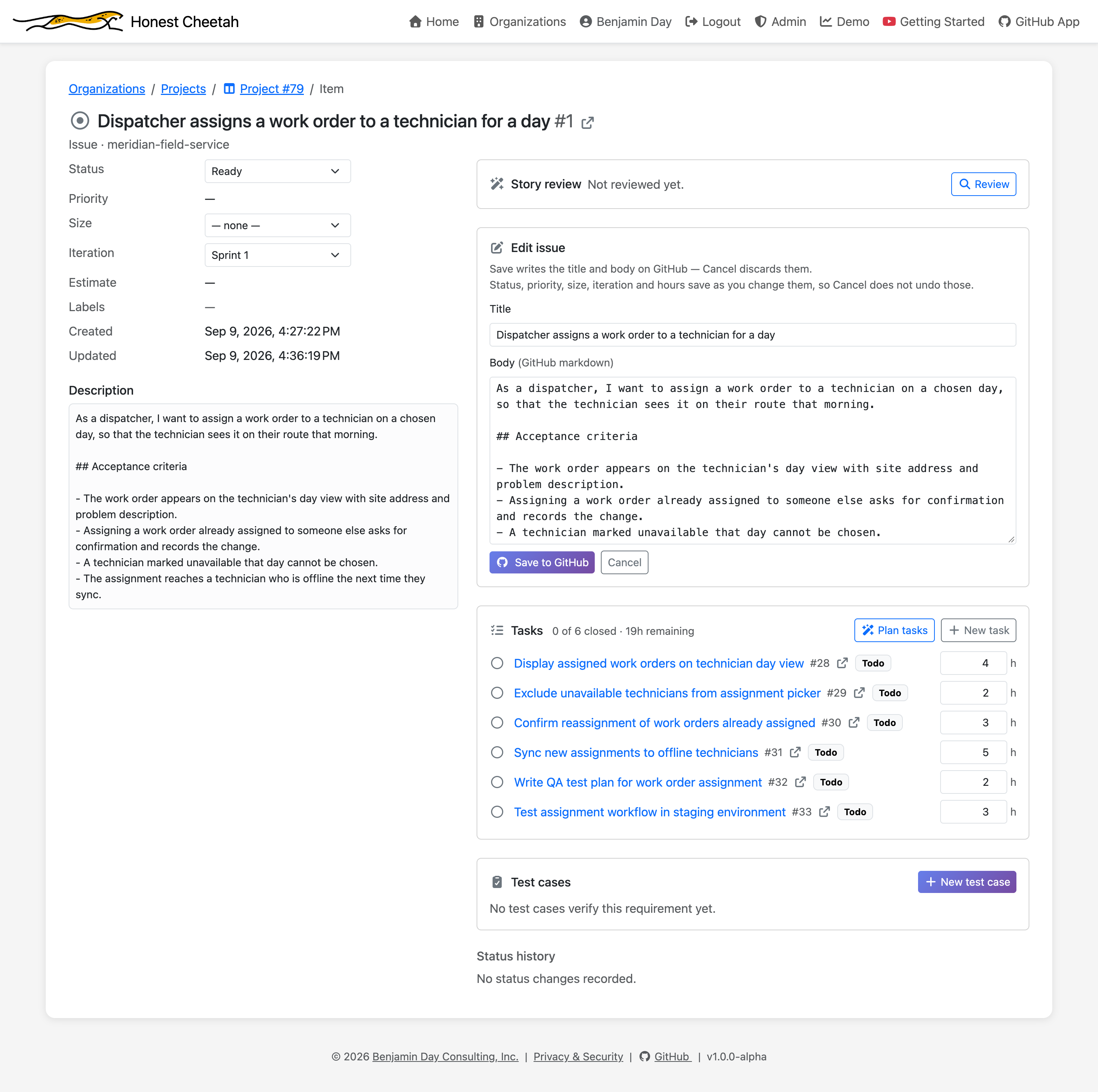
Open a requirement and edit the title, body, status, size, and iteration in one form. The status history is on the page. So are the tasks and the test cases.
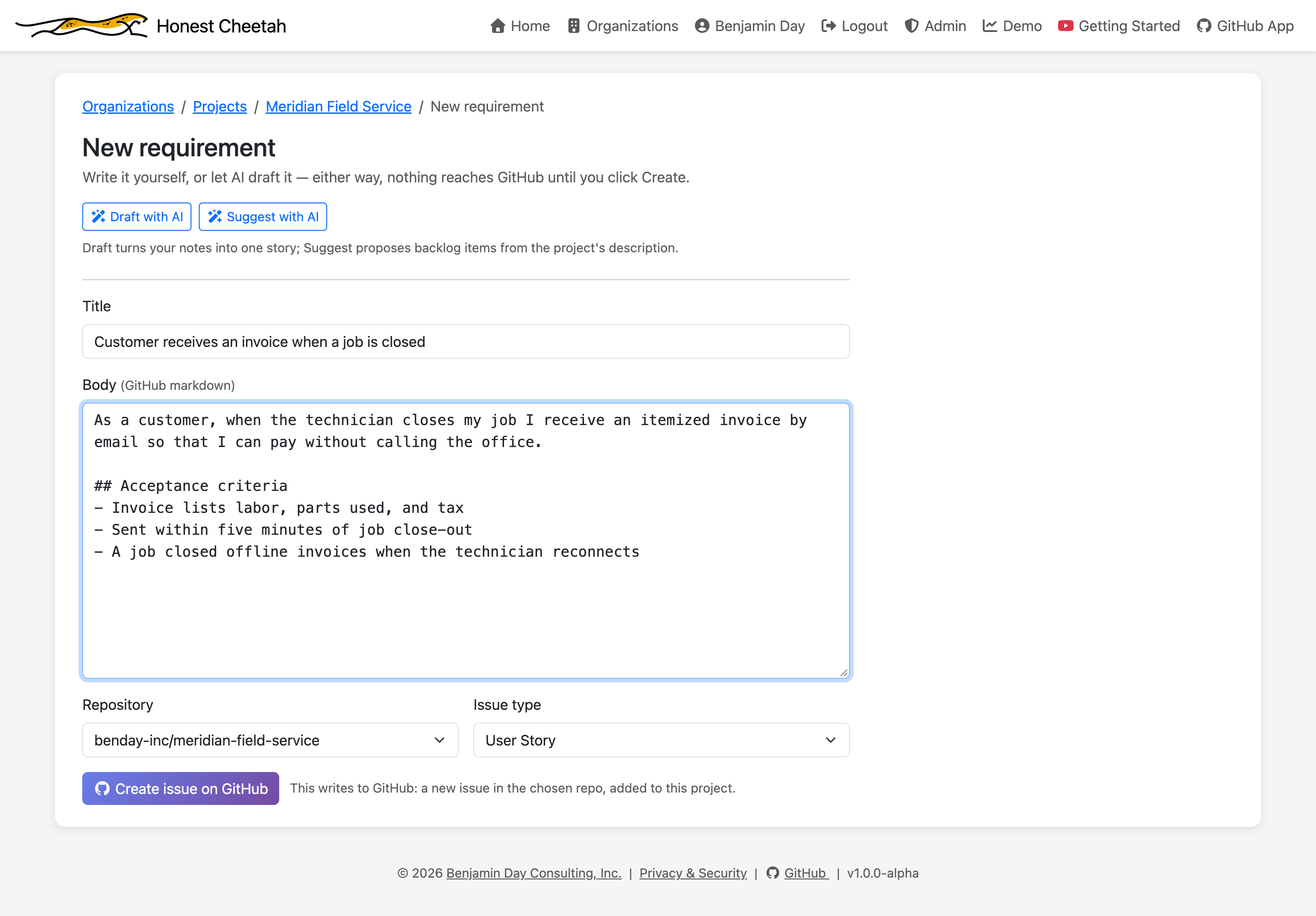
New requirements start from a form with a title, a body, and the issue type your project defaults to. They land in the first status of your flow, so nothing skips intake. For more than one at a time, Suggest with AI proposes a batch from your project's own description.
Tasks
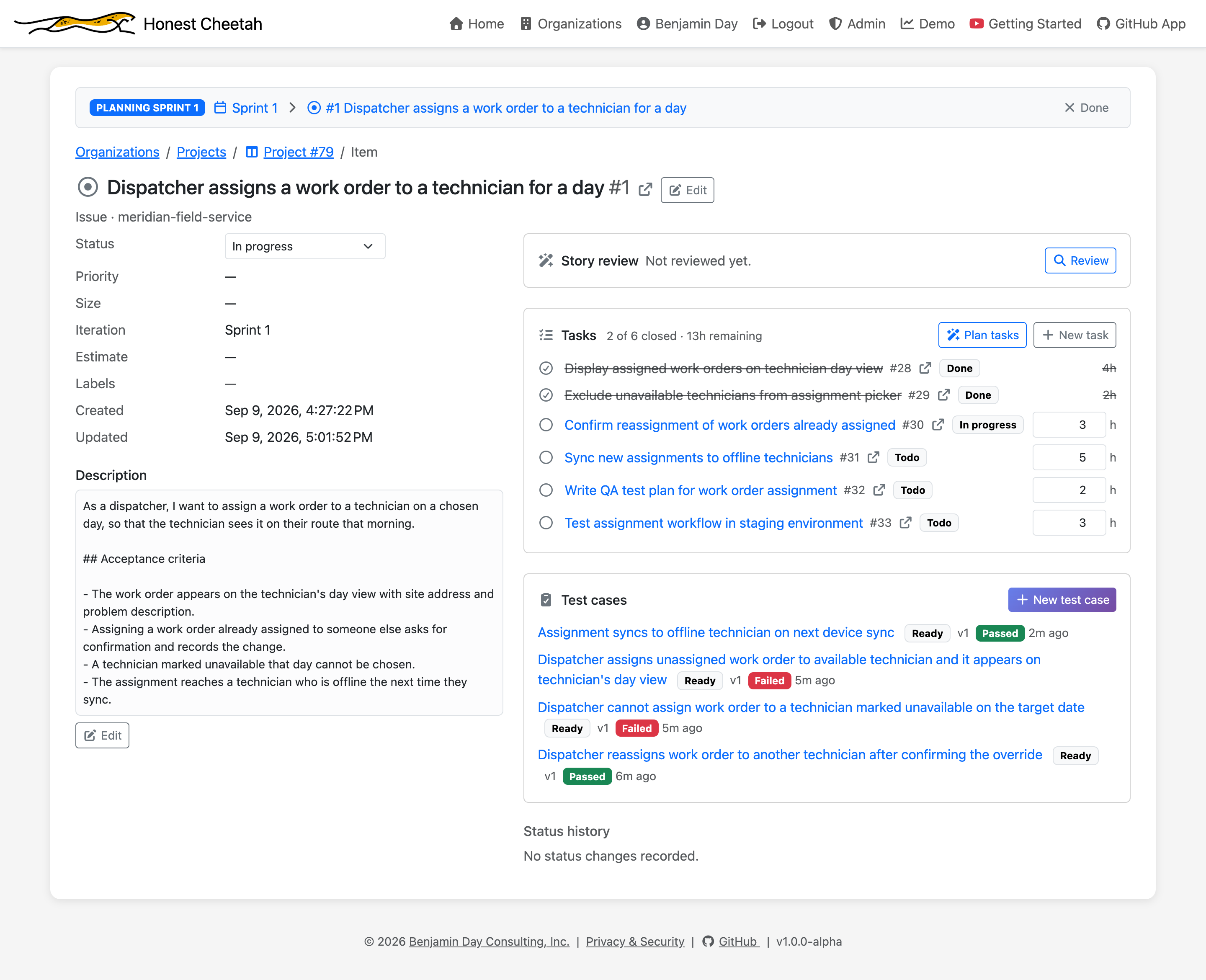
Break a requirement into tasks with hours remaining. Progress rolls up as a count — 2 of 6 closed · 13h remaining — never a percentage, because "60% done" has ended more sprints than it has finished.
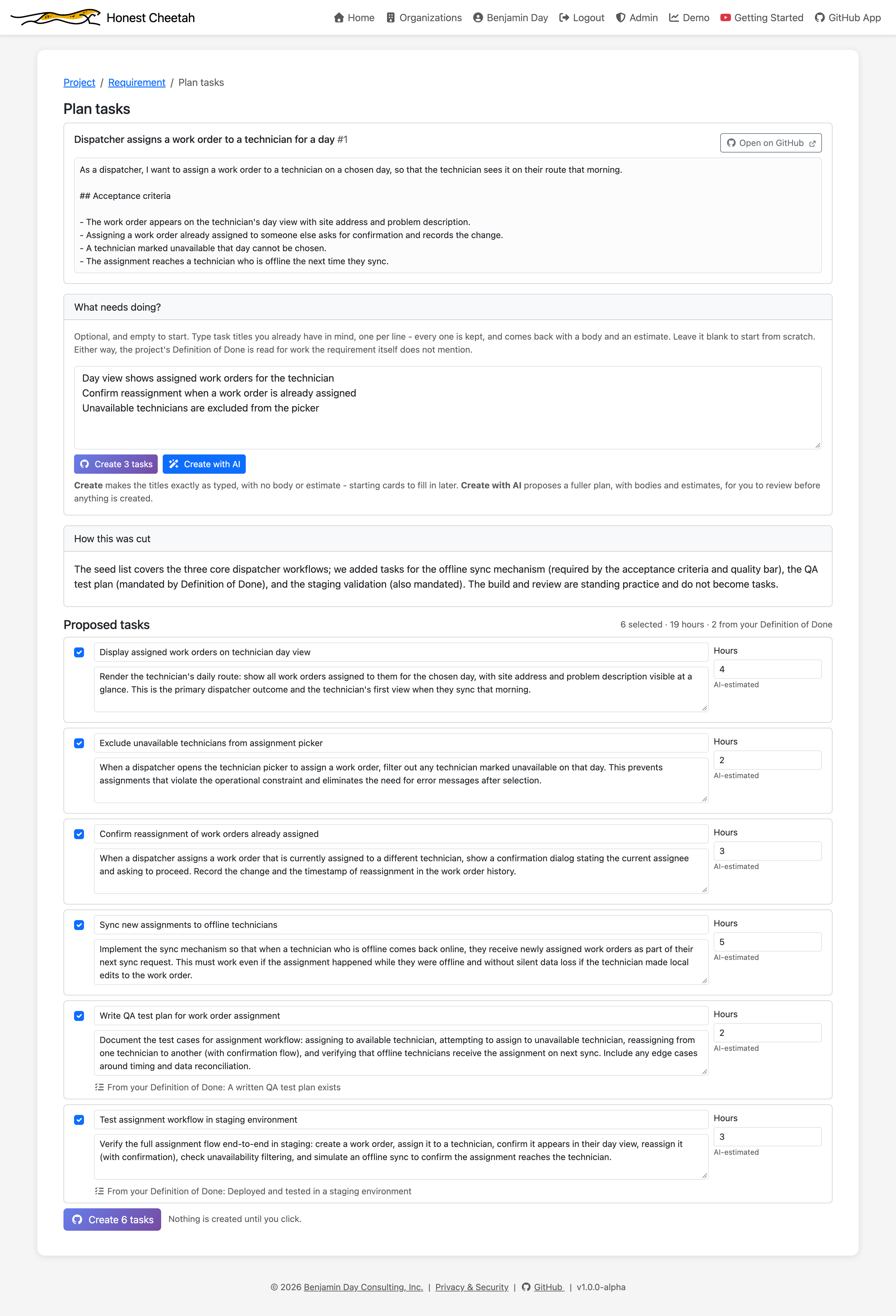
The Plan tasks page is one screen for the whole job: the requirement's description, the tasks it already has, a box for the ones you're adding, and two buttons — Create, or Create with AI to get a proposed breakdown first. The proposal explains how it cut the work and estimates each task; tasks that exist because of your Definition of Done say so.
The project factory
Starting fresh, or want to see it working before you put real work in? One page: pick a sample project, pick a tech stack, and HC creates a private repo with a README, a linked Projects board with the refinement statuses installed, two-week iterations from the date you choose, metric settings configured, and a sample backlog.
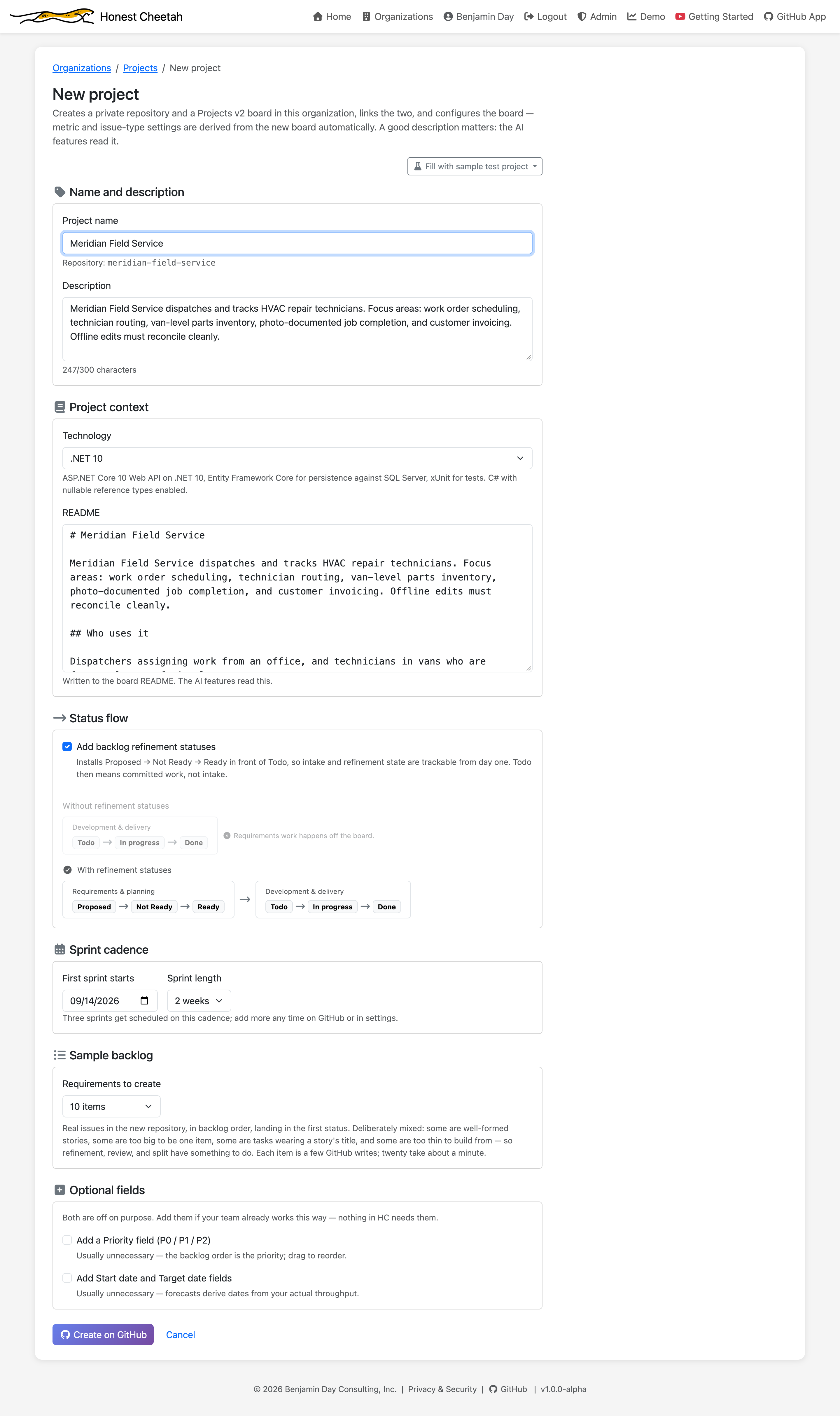
The sample backlog is a realistic mixed-quality backlog on purpose: some good stories, an epic in story clothing, a task pretending to be a requirement, a couple of one-liners. It gives the review and refine tools something to find. Seed some sample history too and the metrics and forecast have something to say on day one — labelled as seeded, everywhere it appears.